
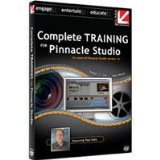
Advanced Training for Pinnacle Studio 12, 14 and 15 Educational Training Tutorial


Description
- Finally a Training Video for the Experienced Pinnacle Studio User!
- Hosted By Veteran Editor and Class on Demand CEO, Paul Holtz
- Paul Will Guide You Through 90 Minutes of In-Depth Lessons
From the same Trainer who brought you Complete Training for Pinnacle Studio 10, 11 and 12. Finally a training video for the experienced Pinnacle Studio user! Just when you thought you had seen it all, Paul Holtz shows you how to use Pinnacle Studio in ways even the most seasoned experts hadn't thought possible. If you are already a Veteran Studio user, or have viewed either of the Class on Demand titles Complete Training for Pinnacle Studio 10.5 or Complete Training for Pinnacle Studio 11 & 12 , then this advanced training will take your Studio skills to new heights! Veteran editor and Class on Demand CEO, Paul Holtz, will guide you through these in-depth lessons. 1) Dual Picture in Picture, Multi Camera Editing, Syncing multiple camera audio tracks, Black backgrounds versus moving backgrounds, Multi-pass compositing 2) Creating Custom Alpha Magic Wipes, Studio 12 content locations, Creating backup files, Creating gradient graphics in Photoshop, Replacing stock gradients, Updating Alpha Magic picons 3) Creating Custom Object Wipes, Object Size, SD/HD resolutions, Creating alpha channels in Photoshop, Targa files versus Photoshop files, Keyframing moving objects 4) Creating Custom DVD Menus and Motion Buttons, Using .tga files created in Chapter 3 as standard buttons, Creating .tga files for use as motion buttons, Cloning button sizes for multiple chapters, Defining buttons, Saving custom menus 5) Customizing Montage Theme Transitions Objects, Studio content locations, Creating backup files, Using .tga files created in Chapter 3 as custom montage theme objects.
Technical Specifications
Shipping & Delivery
Your order is shipped from the USA and delivered to your door in South Africa in 10–20 working days. All items are fully tracked.
Returns & Exchanges
We offer a 30-day return window. If something isn't right, contact our support team and we'll make it right.