
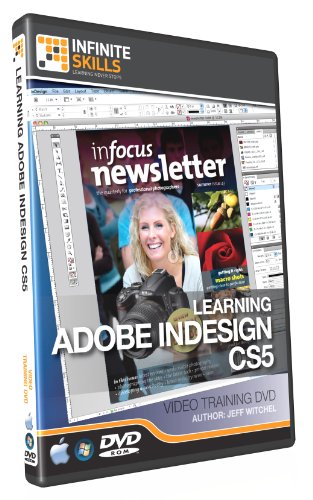
Adobe InDesign CS5 Training DVD - Tutorial Video (Win & Mac)


Description
- Reduce learning time by 80%. Learn InDesign CS5 from a professional trainer from your own desk.
- Visual training method, offering users increased retention and accelerated learning.
- Breaks even the most complex applications down into simplistic steps
- Ideal for users who learn faster visually
- Works on PC and Mac. Over 10 hours of training
Number of Videos: 97 Lessons - 10 Hours Duration
Ships on: DVD-ROM
User Level: Beginner
Works On: Windows 7,Vista,XP- Mac OS X
This Adobe InDesign CS5 training video by Jeff Witchel is an indispensable resource for anyone wanting to learn this powerful, often intimidating page layout and design program. This computer software training program is designed to teach the absolute beginner how to use the industry standard Adobe InDesign CS5 software.
Starting with the basics in this video training tutorial, Jeff Witchel teaches you how to use Adobe InDesign CS5, covering topics ranging from setting up your workspace, to using grids, the new layers panel in CS5, working with text, paragraph formatting, creating and using styles, combining text and objects, as well as exporting your finished work in a variety of formats, from print, to interactive documents.
By the conclusion of this computer based training program, you will be fully versed in creating print-ready documents in Adobe InDesign CS5. The author has included more than 1GB of work-files, so that you can work alongside him as he teaches you the ins and outs of this powerful desktop publishing software
Chapters covered in these videos include
01.Introduction (4 videos)
02.Workspace Basics (3 video)
03.Layout (11 video)
04.Frames And Objects (6 video)
05.Drawing (6 video)
06.The Basics Of Working With Text (4 video)
07.Character Formatting (4 video)
08.Paragraph Formatting (5 video)
09.A Look At Other Type Options (9 video)
10.Styles (7 video)
11.Combining Text With Objects (3 video)
12.Using Long Document Features (4 video)
13.Setting Up Tables (3 video)
14.Adding Graphics (6 video)
15.Color (6 video)
16.Transparency (5 video)
17.Printing and Preflight (3 video)
18.Making Layouts Interactive (4 video)
19.Exporting (3 video)
20.Conclusion (1 video)
Shipping & Delivery
Your order is shipped from the USA and delivered to your door in South Africa in 10–20 working days. All items are fully tracked.
Returns & Exchanges
We offer a 30-day return window. If something isn't right, contact our support team and we'll make it right.