
![TP-Link [2nd Gen] TP-Link 7-Port USB 3.0 Ultra Slim Hub Including 3 BC 1.2 Charging Ports up to 5V / 1.5A. Compatible with Windows, Mac, Chrome & Linux OS, with Power On/Off Button (UH700)](https://m.media-amazon.com/images/I/31jEzMz4eHL._SL500_.jpg)
TP-Link [2nd Gen] TP-Link 7-Port USB 3.0 Ultra Slim Hub Including 3 BC 1.2 Charging Ports up to 5V / 1.5A. Compatible with Windows, Mac, Chrome & Linux OS, with Power On/Off Button (UH700)
Product Description
TP-Link [2nd Gen] TP-Link 7-Port USB 3.0 Ultra Slim Hub Including 3 BC 1.2 Charging Ports up to 5V / 1.5A. Compatible with Windows, Mac, Chrome & Linux OS, with Power On/Off Button (UH700)
- The 2nd Generation Product has been updated in September. The latest version improves some of the bugs reflected by our users by updating the firmware. It enables our hub to function when the computer is in sleep mode or even shut down.The compatibility between devices and our hub has been optimized to support more devices
- 10x data transfer speed - the 7 USB 3.0 Ports support transfer speed of up to 5Gbps, 10 times faster than USB 2.0.It is also backward compatible with USB 2.0/1.1.
- 3 charging Ports power all your devices – 3 BC1.2 charging Ports can deliver up to 5V/1.5A per port that charge 1.5x Fast when compare with 5V/1A original Charger.
- Plug and play - compatible with and support Plug and play feature in most Windows 10, 8.1, 8, 7, Vista, XP, MacOS, and Linux systems.
- Considerate design - a dim White LED indicator on the power button and 7 dim White LED indicators beyond Each USB port help visualize the connection status.
TP-Link UH700 is a 7-port USB hub. 3 of the 7 ports are BC 1.2 Charging Ports which not only sync data but also provide fast charging for your mobile devices. It also come with a power adapter to provide robust performance and a power on/off button to conveniently turn on/off the hub as need.
With TP-Link UH700, you can now transfer data at up to 10 times the speeds of the older USB 2.0 standards. Speeds of 5Gbps are a vast improvement over USB 2.0€s 480Mbps top speed. It is also backwards compatible, allowing you the capability of using USB 2.0/1.1 products if need be.
UH700 is Plug & Play for Windows, Mac, Linux, Chrome OS and more PCs, no driver installation required.
Please Note:
2.4Ghz wireless devices, such as wireless keyboard and mouse adapters, may not work in close proximity to USB 3.0 devices or hubs. Connecting to a USB 2.0 port is recommended. Ensure that the power adapter is connected before using this hub. And for best performance please connect it to the USB 3.0 port of your PC. Interface Available: 7 x USB 3.0 Standard A 2 2.4A Charging Ports, 1 USB 3.0 Micro B
Technical Specifications
You might also like

Cable Matters Micro USB 3.0 Cable (Micro USB 3 Cable A to Micro B) in Black 10 Feet

AmazonBasics USB 3.0 Charger Cable - A-Male to Micro-B - 9 Feet (2.7 Meters)

Cable Matters 2 Pack, SuperSpeed USB 3.0 Type A Male to Female Extension Cable in Black 6 Feet

AmazonBasics USB 3.0 Charger Cable - A-Male to Micro-B - 6 Feet (1.8 Meters)
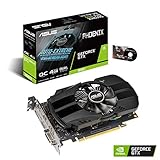
ASUS GeForce GTX 1650 4GB Phoenix Fan Overclocked Edition HDMI DP DVI Graphics Card (PH-GTX1650-O4G)
Cable Matters 2-Pack Micro USB 3.0 Cable (Micro USB 3 Cable A to Micro B) in Black 6 Feet

Belkin 4-Port Powered Desktop USB Hub with Support for USB-A, USB 2.0, and USB 1.1
Cable Matters Micro USB 3.0 Cable (Micro USB 3 Cable A to Micro B) in Black 15 Feet

Seagate BarraCuda Mobile Hard Drive 4TB SATA 6Gb/s 128MB Cache 2.5-Inch 15mm (ST4000LM024)

TP-Link USB 3.0 4-Port Hub with Slim & Foldable Cord Design, Universal Compatibility and Driver Free for MacBook, Surface, Chromebook, Ultrabook, Laptop, iMac, PC, Xbox, PS3/4, Smart TV, TV Box