
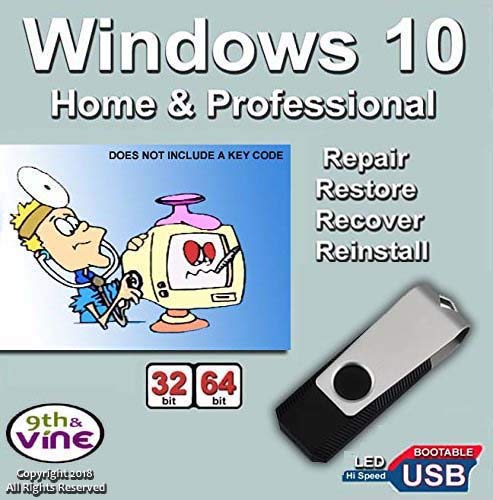
9th & Vine USB Flash Drive Compatible With Windows 10 Home & Professional 32/64 bit. Install, Repair, Restore & Recovery USB Drive For Legacy Bios
Product Description
9th & Vine USB Flash Drive Compatible With Windows 10 Home & Professional 32/64 bit. Install, Repair, Restore & Recovery USB Drive For Legacy Bios
NOTE: This is not an OEM software but a repair Product. Key Code, COA & License are NOT INCLUDED. Instructions are included
Technical Specifications
You might also like

9th and Vine Compatible Windows 10 Home 32/64 Bit DVD. Install To Factory Fresh, Recover, Repair and Restore Boot Disc. Fix PC, Laptop and Desktop.
Windows 10 Home and Professional Compatible 32/64 Bit DVD. Recover, Repair, Restore or Install Windows To Factory Fresh

Bootable USB Compatible w/ Windows 10 Pro & Home Reinstall Recovery Repair Reboot Restore Clean Install Fix Reset w/ Antivirus Protection & Drivers Software | For ANY PC 32 or 64 Bit
PROFESSIONAL HARD DRIVE ERASER 32/64Bit Professional Edition - Wipe your Hard Drive Securely for for ALL operating systems

Computer IT Repair - Windows Antivirus Hard Drive Data File Recovery Password Reset Tools Utilities Drivers Live Bootable Boot USB Flash Thumb Drive

9th & Vine USB Compatible With Windows 7 32-64 bit All Versions Professional, Home Premium, Ultimate, Basic. Install To Factory Fresh, Recover, Repair and Restore Boot Disc. Fix PC

Windows Password Reset Recovery USB for Windows 10, 8.1, 7, Vista, XP | #1 Best Unlocker Software Tool {For Any PC Computer}
COMPUTER PASSWORD RESET - Recovery Boot Password Reset CD Disc for Windows XP, Vista, 7, 8, 8.1 and Windows 10 (All Versions of Windows)

Learn How To Use Linux, Linux Mint Cinnamon 19 Bootable 8GB USB Flash Drive - Includes Boot Repair and Install Guide

9th and Vine Compatible Windows 10 Home, Professional, Education, Enterprise 32/64 Bit USB Flash Drive. Install To Factory Fresh, Recover, Repair and Restore. Fix PC, Laptop and Desktop.