

ANTIEE Compatible T4800E Tablet Battery for Samsung Galaxy Tab Pro 8.4" SM-T320(WiFi) SM-T321(3G & WiFi) SM-T325(3G 4G/LTE & WiFi) Series T4800C T4800K 4800mAh 18.24Wh 3.8V
Product Description
ANTIEE Compatible T4800E Tablet Battery for Samsung Galaxy Tab Pro 8.4" SM-T320(WiFi) SM-T321(3G & WiFi) SM-T325(3G 4G/LTE & WiFi) Series T4800C T4800K 4800mAh 18.24Wh 3.8V
- 【Specification】: Voltage:3.8V; Capacity:18.24Wh / 4800mAh; Battery Type:Li-ion polymer. Condition: New;100% New from Manufacturer.
- 【Compatible Part Number】:T4800E T4800C T4800K.
- 【Compatible Models】: Samsung Galaxy Tab Pro 8.4" Series:SM-T320(WiFi), SM-T321(3G & WiFi), SM-T325(3G, 4G/LTE & WiFi).
- 【ANTIEE Promise】: Each products has undergone rigorous testing to ensure the correct voltage, circuit protection, stable current, low self-discharge and CE / FCC / RoHS Certified for safety.About 500 recharge cycles over the life.
- 【ANTIEE After-sales】: ANTIEE provide 7X24H email quick reply,30-Day 100% No-Reason refund service and 12-month worry-free warranty.
About us:
ANTIEE specialize in Laptop Batteries, Samsung Tablet Battery, Electronics.
We provide products of great value for our customers and designed to develop a large client base.
Safety and Excellence Features:
Efficient and Reliable
Grade A Cells
FCC / CE / RoHS Certified
More Charging Cycles
Long Lasting Performance
Specification:
Voltage:3.8V
Capacity:18.24Wh / 4800mAh
Condition: Brand New.
Battery Type:li-ion polymer.
Replace Part Number:
T4800E T4800C T4800K.
Fit for:(Use "Ctrl"+"F" to find your laptop model)
Samsung Galaxy Tab Pro 8.4" Series:
- SM-T320(WiFi)
- SM-T321(3G & WiFi)
- SM-T325(3G, 4G/LTE & WiFi)
Packing list:
-1 x ANTIEE Samsung battery
-1 x Free Nine-piece Repair Tool Set
Kindly Note:
-Please carefully confirm your tablet model, battery model, and shape get correct one.
-You can search for relevant installation video on YouTube.
-Take care of the small screws not losing it.
-Be very careful to not insert the pick more than a quarter inch into the display to avoid damaging.
-Make Sure all the parts connected correctly and tightly after replacement.
-After the battery installed inside tablet,we suggest you discharge the new battery use to 5%(not to 0%) and then full charge to100%, and cycle 3-4 times., then the battery will became more excellent.
Technical Specifications
You might also like

Charging Port Dock Connector USB Port Flex Cable Replacement Part for Samsung Galaxy Tab PRO 8.4 SM - T320

OtterBox 77-40498 Defender Case for Samsung Galaxy Tab Pro 8.4 Tablet - Black (Retail Packaging from OtterBox)
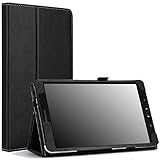
Moko Samsung Galaxy Tab PRO 8.4 Case - Slim Folding Cover Case for Galaxy TabPRO 8.4 Android Tablet, Black (with Smart Cover Auto Wake/Sleep. Will NOT Fit Samsung Galaxy Tab 4 8.0)
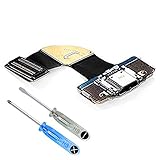
MMOBIEL Dock Connector Compatible with Samsung Galaxy Tab PRO 8.4 Inch T320 Charging Port Flexcable incl. Screwdriver

PT Ultra Slim Lightweight Smart-Shell Rotating Leather Stand Protective Cover Case For Samsung Galaxy Tab Pro 8.4" inch Android Tablet SM-T320/T325/T321(Will NOT Fit Tab Pro S 8.4) (Black)

OtterBox 77-40502 Defender Case for Samsung Galaxy Tab Pro 8.4 Tablet - Papaya (Retail Packaging from OtterBox)

ArmorSuit Samsung Galaxy Tab Pro 8.4 Screen Protector Max Coverage MilitaryShield Screen Protector for Galaxy Tab Pro 8.4 - HD Clear Anti-Bubble
(3 Pack) Supershieldz for Samsung Galaxy Tab Pro 8.4 inch Screen Protector, High Definition Clear Shield (PET)
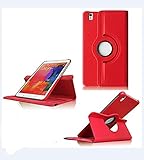
PT Ultra Slim Lightweight Smart-Shell Rotating Leather Stand Protective Cover Case For Samsung Galaxy Tab Pro 8.4" inch Android Tablet SM-T320/T325/T321(Will NOT Fit Tab Pro S 8.4) (Red)

XQ - LCD Display + Touch Screen Digitizer Sense Lens Assembly Black For Samsung Galaxy Tab Pro T320 SM-T320 Replacement