

Bluetooth Wireless Rechargeable Mouse,Silent Mouse for Laptop/Tablet/PC/MAC/Android/Windows 10/Microsoft/Macbook Pro/Smart TV,3 Adjustable DPI, 6 Buttons
Product Description
Bluetooth Wireless Rechargeable Mouse,Silent Mouse for Laptop/Tablet/PC/MAC/Android/Windows 10/Microsoft/Macbook Pro/Smart TV,3 Adjustable DPI, 6 Buttons
- BUILT-IN BATTERY:Built-in battery,easy to charge by micro usb cable,no more need for extra AAA battery.auto energy-saving mode, If you do not use the mouse for five minutes, it will go to sleeping mode, you can press the any button to weak it up.Upgrade battery,battery capacity from ordinary 200mah, upgraded to 800mah, can be used up to 2 months on a single charge
- BLUETOOTH MOUSE:Easy to pair and easy to operate,save one plug for your device,range upto 10 meters.
- WIDE COMPATIBILITY:Compatible with most system including Windows, Mac and Linux. Fit for Notebook, PC, Laptop, Computer, Macbook and other device.Note: NOT compatible with Apple iPhone, iPad ,MacBook 2016 or Macbook Air
- SILENT CLICKS WIRELESS MOUSE:Special soundless design for the right and left buttons, you can use it in public places such as offices, libraries, dormitories where you do not want disturb others.
- 6 BUTTONS: scroll wheel, page forward, page backward, left button, right button, DPI key. Can click the side (forward/backward) buttons to go to the next or previous page.3 Adjustable DPI(800,1200,1600)
Package Contents
1. charging Bluetooth mouse ×1
2. a charging line ×1
3. product certification ×1
4. product User Manual ×1
Product parameters
Item Dimensions:105*73*35MM(4.13*2.87*1.37 inch),NOTE:This size is a little bit smaller than the normal mouse
Item Weight:80±5g (about 2.8 oz)
Item Material:ABS+PC
Bluetooth technology:Bluetooth3.0
DPI: default 1200DPI resolution, press the DPI key, DPI: 800,1200,1600, cycle switching.
Charging indicator: When charging, the red light is on in front of the charging port, and the red light is off when the charging is full.
Rated voltage: 3.6-4.2V DC
Working current: ≦9mA (Flash mode ≦18mA)
Operating System Requirements
The mouse is compatible with the standard Microsoft mode.
Supports Windows, MAC,VISTA operating systems and IBM computers that support USB devices(Windows 98 / ME / 2000 / XP / VISTA / WIN7/ WIN8/ WIN10, MAC operating system)
The main features
structural design in line with ergonomic principles;
Built-in software solution complies with Bluetooth human interface device and complies with Bluetooth SIG
Bluetooth2.0 / 3.0 version;
Frequency range: 2.4-2.4835;
Receiving sensitivity: -75dbm (standard)
transmission distance: 10m;
Bluetooth Mouse connect method
1.Turn on the bluetooth mouse (switch to "ON" position)
2.Press the black circle "bluetooth connection" button over 5 seconds .
3.Turn on the bluetooth on your device( such as tablet ,cellphone or notebook)
4.Searching for the bluetooth device, the"bluetooth mouse" should appear in the list of the discovered bluetooth device.
 5. Select the "Bluetooth Mouse",and then click Continue to begin the pairing process.
For details on how to connect Bluetooth, please refer to the manual
If you encounter problems in the connection process, please feel free to contact us
Technical Specifications
You might also like

Arteck HB030B Universal Slim Portable Wireless Bluetooth 3.0 7-Colors Backlit Keyboard with Built in Rechargeable Battery, Black
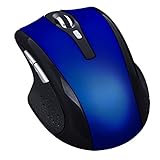
Tsmine Silent Rechargeable Bluetooth Wireless Mouse Noiseless Mute Mouse,3 adjustable DPI,6 buttons for for Laptop, Macbook 2017 and Android OS Tablet, Blue
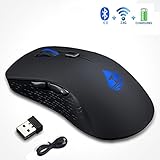
Bluetooth 4.0 and 2.4 GHz Dual Mode Rechargeable Mouse,Wireless Mouse Work on Two Devices for Laptop/Tablet/PC/MAC/Android/Windows 10/Microsoft/Smart TV,3 Adjustable DPI, 6 Buttons

Arteck Protection Case & Stand for Arteck HB030B Bluetooth Keyboard (Bluetooth Keyboard not included)

TeckNet 2600DPI Bluetooth Wireless Mouse, 18 Month Battery Life With Battery Indicator, 2600/2000/1600/1200/800DPI
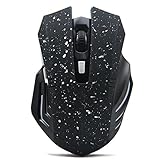
Bluetooth Wireless Silent Gaming Mouse - Tsmine Noiseless Plus Large Mouse with 6 buttons,3 adjustable DPI for Laptop,Macbook 2017 and Android OS Tablet- Snow White

TeckNet Bluetooth Wireless Mouse, Grey (BM308)
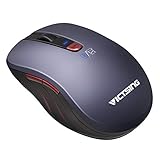
VicTsing Bluetooth 4.0 Mouse 2.4G Wireless Portable Mobile Mouse with 12-Month Battery Life, 5 Adjustable DPI Values for PC, Laptop, Mac

Fintie Microsoft Surface Pro 2017 / Pro 4 / Pro 3 Type Cover, [7-Color Backlit] Ultra-Slim Portable Wireless Bluetooth Keyboard with Two-Button Trackpad and Built-in Rechargeable Battery, Black

Anker Ultra Compact Slim Profile Wireless Bluetooth Keyboard for iOS, Android, Windows and Mac with Rechargeable 6-Month Battery (White)