

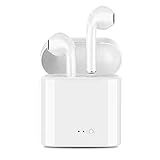
DUOER Bluetooth Headphones Earbuds Wireless Bluetooth Headset Stereo Earphone Anti-Sweat Sport Headphones with Charging Case for Most Smartphones
Product Description
DUOER Bluetooth Headphones Earbuds Wireless Bluetooth Headset Stereo Earphone Anti-Sweat Sport Headphones with Charging Case for Most Smartphones
- 〓ANTI SWEATING〓The Bluetooth Headset is consist of sweatproof material, feel free in running, biking, training, jogging, hiking and other exercise without twining wire, secure fit
- 〓LIGHT AND PORTABLE〓The bluetooth headphones ultra-lightweight design with large capacity Lithium batteries, portable charging case provides 4 times fully charging for the headset and let you enjoy more than 2 hours continuous music/talking time
- 〓STRONG COMPATIBLE BLUETOOTH EARBUDS〓The bluetooth headphones With Bluetooth 4.2 technology, it can provides more stable connection signal transmission. The wireless earbuds work with all smartphones, tablets and bluetooth enabled devices. Pairing up just take a few seconds.
- 〓MULTIFUNCTION〓The bluetooth headphones Support music and calling. Broadcast the caller number; Intelligent English sound of power on, power off , devices matching, and low power.The bluetooth earphones is covenience to use separately or both using to share with friends so no one misses out on true wireless Hi-fi sound and enjoy together
- 〓100% SATISFACTION GUARANTEE〓Guarantee service and reliable customer service within a 24 hour time support, 90 day back money guarantee - 12 month warranty.
How to Sync Between Earbuds?
Step 1. Press and hold the button for 3 seconds of either earbud and release after the LED flashes between Red and Blue. (Voice Prompts: Power on)
Step 2. Double tap any one of the earbuds, and wait for 3-5 seconds, the earbuds will search for each other, one of the earbuds will stop flashes when successfully  (Voice Prompts: Your headset is connected)
Step 3. Pairing the earphone with your mobile phone, the product will be in standby status after pairing completed
How to The Wireless Earbuds Pair with Your Phone?
Step 1.For initial use, press and hold the button for 3 seconds of either earbud and release after the LED flashes between Red and Blue. (Voice Notice: Power on)
Step 2. Open the mobile phone Bluetooth and search "i7-TWS", then connect it.
Step 3. Pairing the earphone with your mobile phone, the product will be in standby status after pairing completed, Blue LED flashes 5 seconds each time. (Voice Notice: Connected)
Package included:
2 x Bluetooth headphones
1 x Headset Charging Case
1 x Micro USB Charge Cable
1 x User Manual
Technical Specifications
You might also like
Wireless Bluetooth Headset,Best Wireless Earbuds,a pair of wireless headphones with charging case iPhone X 8 8Plus 7 7Plus 6S 6SPlus and Samsung Galaxy S8 S8+ Note8, support IOS and Android Smartphone

Homaok Men's Lightweight Breathable Jacket Medium Black

Art Advantage 8-Ounce Acrylic Iridescent Medium

FitMiss Delight Protein Powder- Healthy Nutritional Shake for Women with Whey Protein, Fruits, Vegetables and Digestive Enzymes to Support Weight Loss and Lean Muscle Mass, Chocolate, 2 Pound

AILUN Screen Protector for iPhone 8 plus 7 Plus,[5.5inch][3Pack],2.5D Edge Tempered Glass for iPhone 8 plus,7 plus,Anti-Scratch,Case Friendly,Siania Retail Package

Blue Diamond Almonds, Bold Salt 'n Vinegar, 16 Ounce

Avery Big Tab Write & Erase Dividers, 8-Tab Set, Multicolor, Multi Pack of 6 Sets (23079)

Lasko 1843 18" Remote Control Cyclone Pedestal Fan, Black