

Digital Camera Vlog Camera Full HD 1080p Point and Shoot Camera Flip Screen Camera Flash light Camcorder with Lens Cap
Product Description
Digital Camera Vlog Camera Full HD 1080p Point and Shoot Camera Flip Screen Camera Flash light Camcorder with Lens Cap
Specification:
Video Resolution: 1920x1080 @15fps; 1280x720 @30fps; VGA: 640x480@ 30fps Format AVI
Image Resolution:5600x4200(24MP); 5200x3900(20MP); 4000x3000(12MP); 3264x2448(8MP); 2592x1944 (5MP); 2048x1536(3M); FHD: 1920x1080 HD, Format JPG
Shooting mode: Single Shooting; Delay Shot (2s, 10s); Continuous Shooting
Mode Set: Auto, Sport, Night, Portrait, Landscape, Backlight, Party, Beach, High Sensitivity
Beauty Face: Support (on/off)
Face Detect: Support (on/off)
Date & Time stamp function: Support
White Balance: Auto, Daylight, Cloudy, Tungsten, Fluorescent
ISO: Auto, 100, 200, 400
Anti-Shake: On/Off, Electronic Stabilizer
Aperture:2.4
Package Content
Digital Camera x 1
52mm UV lens x1
Lens cap x1
Lithium ion battery x1
Wall plug charger x1
USB cable x1
Strap x1
English manual x1
GOOD TO KNOW:
1.SDHC card does not come with standard package and you need to purchase it separately,Please format the SD card before use.
2.Tripod does not come with standard package and you need to purchase it separately.
Formatting step
First : Support SanDisk's Samsung Toshiba Kingstown SD Card Class 10
Second: When you hear the "click" sound during the installation of an SD card or during a card pull, it means that the SD card has been installed or removed.
Third: Check if the memory card is in the "write protected" state.if so ,pls push to the other end to release this status.
Fourth: formatting, enter the camera's settings menu, find the formatting options, and click OK.
Technical Specifications
You might also like
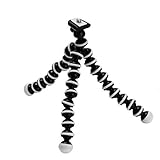
Aketek Gripster Octopus Flexible Compact Camera Tripod

SanDisk 32GB Ultra Class 10 SDHC UHS-I Memory Card Up to 80MB, Grey/Black (SDSDUNC-032G-GN6IN)

AmazonBasics 50-Inch Lightweight Tripod with Bag

DAISEN Octopus Camera Holder and Phone Tripod for iPhone/Universal Smartphone, White (4326573160)
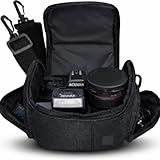
Medium Soft Padded Camera Equipment Bag / Case for Nikon, Canon, Sony, Pentax, Olympus Panasonic, Samsung & Many More + eCostConnection Microfiber Cloth

Octopus Camera Tripod, Walway Flexible Cell Phone Holder Stand Selfie Stick with Quick-Release Plate for Smartphone/Camera/GoPro/Action Camera/DSLR

SanDisk 64GB Ultra SDXC UHS-I Memory Card SDSDUNC-064G-GN6IN

SanDisk 64GB Class 4 SDXC Flash Memory Card, Frustration-Free Packaging- SDSDB-064G-AFFP (Label May Change)