

Digital Photo Frame with IPS Screen - 1280x800 Digital Picture Frame with 1080P Video, Music, Photo, Auto Rotate, Calendar, Time, Black
Product Description
Digital Photo Frame with IPS Screen - 1280x800 Digital Picture Frame with 1080P Video, Music, Photo, Auto Rotate, Calendar, Time, Black
- HD IPS Screen With 178 Degree Wide Viewing Angle: The IPS screen allows you to get a better viewing experience on front and side. 1280x800 resolution can realistically display the color and detail of the photo and 1080P video. Our products have a delicate box that is perfect as a gift.
- Image Preview and Auto Rotation: This photo frame has a unique image preview function, which is very easy to find the picture you want in hundreds of pictures. The frame adapts automatically to portrait or landscape orientation.
- Multiple Slideshow Modes: This electronic photo frame can play your photos via sequence or random, there are 9 slideshow switch effects. You can also set the time of slideshow change.
- Plug and Play: Please turn on the power, then plug in SD card or USB drive (up to 128GB, not included), the frame will automatically play your photos. You can choose the size of the photo in the settings to avoid distortion of the photo, easy to use.
- More Interesting Features: Alarm clock, time, calendar, auto power on/off, picture zoom and 360 degree rotation, etc, are waiting for you to explore. We provide 24-hour after-sales service and 12-month warranty for each customer.
Quick Operation Guide
Easy to Use
1. Please tear off the protective film of the photo frame with a green sticker.
2. Please connect the power supply with the adapter in the package.
3. Please insert the SD card or USB drive which already contains your photo.
4. The frame is working now.
Tips for Using
1. How to set the date and time
â–¶ Select "Setup" - "Time" - to set your time and date
2. How to set random play
â–¶ Select "Setup" - "Photo repeat" - to choose "Random"
3. How to set Photo Size
â–¶ Select "Setup" - "Photo rate" - to choose "Original Size"
Frequently Asked Questions
1. Why does my photo frame screen have a green sticker?
Answer: It is a film used to protect the photo frame from scratching in shipping. Please use this green sticker to tear off the film.
2. Why can't my SD card be recognized?
Answer: Please choose 8-128GB, Class 10 SD card. Please make sure the photo frame has been turned on first, then insert card.
3. Why is my photo distorted?
Answer: Please set the photo size to the "original size" in the "Setup".
4. How to preview photos
Answer: For image preview, there are two ways: ①Click the menu button on the back of the photo frame while the photo frame is playing.  ② When the photo frame is playing, please click EXIT on the remote control.
 5. How to delete photos
Answer: Click the "EXIT" button on the remote control, then choose "SD" in the frame - "ENTER" - "File" - "Enter" - select the photo you want to delete - click "SETUP" to delete
Technical Specifications
You might also like
Video Camera 4K Camcorder AiTechny Ultra HD Digital WiFi Camera 48MP 16X Digital Zoom Recorder IR Night Vision 3.0" IPS Touch Screen with Microphone, Wide Angle Lens, LED Video Light, 2 Batteries
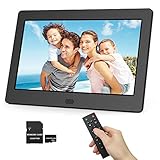
Digital Photo Frame 1280x800 16:9 IPS Screen Include 32GB SD Card HD Digital Picture Frame Widescreen, Support 1080P Videos, Photos Auto Rotate, Support Thumb USB Drive, SD/MMC/MS Card(7 Inch Black)

[MEDIHEAL] N.M.F Aquaring Ampolue Mask EX. 25ml Pack of 10