

Custom Install Parts Double Din Navigation Stereo Bezel Dash Install Kit with Standard Wiring Harness and Antenna Adapter - Grey Compatible with Jeep Grand Cherokee 2005-2007
Product Description
Custom Install Parts Double Din Navigation Stereo Bezel Dash Install Kit with Standard Wiring Harness and Antenna Adapter - Grey Compatible with Jeep Grand Cherokee 2005-2007
- Compatible with Jeep Grand Cherokee 2005-2007 Radio Dash to hold Standard Double Din Aftermarket Radios
- Made to match factory GREY Color
- Installation Brackets Included, as well as Wire Harness, and Antenna Adapter
Up until now installing an Aftermarket Double Din Radio into the 2005-2007 Jeep Grand Cherokee meant having to buy the factory navigation bezel ( $175 ), an aftermarket radio install dash kit ( $12 ), wiring harness and a antenna adapter ($6). However our new kit allows you to replace your Factory Radio with an aftermarket Double Din radio at a reasonable price with a cleaner look. We have taken the extra steps out for buying multiple parts and lowered the price plus you will get a better looking installed with our kit. This wire harness is compatible with standard wiring only. Will not work on models with Factory Infinity Systems, Boston Acoustic Systems or CAN Bus Radios (models REF, REC, RAQ or RAK; The radio's name can be found on the face of the radio). Installation Directions- Tools needed for install - Philips screw driver, Dremel (rotary tool) and a Soldering Iron. You can buy a Soldering gun at Harbor freight for as low as $3.99 and a Dremel (rotary tool) knock off for $10.79 or just look on Amazon. Step 1: Gently pull on the factory bezel, it is only held on by a few plastic tabs up top and there are 2 clips on each side of the AC vents (totaling 4) and 1 clip at the bottom.. Step 2: You will see 4 Philips screws holding the factory radio in place, remove the screws and the radio will be lose and ready to come out.. Keep the screw for installation of new double din radio.. Step 3: Next unplug all the wire harness and antenna cable leading into the factory radio. You will now have the empty hole ready for new double din radio and your newly purchased dash kit (DO NOT DISCARD THE FACTORY BEZEL AS YOU WILL NEED THE AC VENTS TO PUT ON THE NEW BEZEL) Step 4: The removal of the AC vents from the factory bezel.
Technical Specifications
You might also like
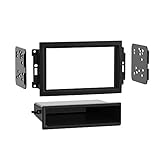
Metra 99-6510 Chry/Dodge/Jeep with NAV 04-UP Dash Kit

Rear Windshield Back Wiper Arm Blade Set for JEEP Grand Cherokee 2005 2006 2007 2008 2009 2010 OE:05139836AB

SCOSCHE CR1289B Single or Double DIN Car Stereo in-Dash Install Kit Compatible with 2005-Up Chrysler 300C, Dodge Magnum/Charger, Durango, RAM/Mega RAM, Jeep Grand Cherokee and Commander Vehicles
MicroBypass ALL AVH-X Video In Motion Interface for Select Pioneer Receivers
Pioneer AVH-1300NEX Multimedia DVD Receiver with 6.2" WVGA Display/Apple CarPlay/Built-in Bluetooth/SiriusXM-Ready/AppRadio Mode

KeylessOption Just the Case Keyless Entry Remote Control Car Key Fob Shell Replacement for KOBDT04A
Maestro HRN-RR-CH2 Plug and Play T-Harness for CH2 Chrysler, Dodge, Jeep Vehicles

BOSS Audio Systems BV9386NV Car GPS Navigation - Double Din, Bluetooth Audio and Hands-Free Calling, 6.2 Inch Touchscreen LCD, MP3, CD, DVD Player, USB, SD, AUX Input, AM/FM Radio Receiver

Metra 72-6514 Speaker Harness for Select Chrysler/Dodge Vehicles

Metra 40-CR10 Chrysler 2001-Up Car Antenna Adapter