

Ethernet Adapter for Streaming Media ? Sticks (2nd Gen) and Media Devices (2017), 4K Sticks (2019), USB Network Adapter USB Power Supply Cable Plus OTG Cable Adapter Included- xlent
Product Description
Ethernet Adapter for Streaming Media ? Sticks (2nd Gen) and Media Devices (2017), 4K Sticks (2019), USB Network Adapter USB Power Supply Cable Plus OTG Cable Adapter Included- xlent
Xlent Combo includes the USB Adapter, and Ethernet USB adapter for easy install. Plug and play installation 100% brand new and high quality. Supports 10/100 Mbps auto-sensing capability USB 2.0 interface Supports Auto MDIX (straight and cross network cable auto-detection) Support s USB full and high speed modes with bus power capability IEEE 802.3, 802.3u, and 802.3ab (10Base-T, 100Base-tx, and 1000 Base-T) compatible Supports both full-duplex and half-duplex operation in fast Ethernet Supports Jumbo packet of up to 9KB Supports suspend mode and remote wake-up via link-up and magic packet Female RJ45 jack supporting Auto MDIX Embedded 20KB SRAM for RX packet buffering and 20KB SRAM for TX packet buffering. ............... if you have any issues..... I have had some Streaming Devices - Media Stick not connecting to the internet when using the Ethernet cable rather than Wifi. The most common cause is that the Ethernet cable was connected after the Streaming Devices - Media Stick was powered on and the Wifi may be trying to connect. Here are a few suggestions on how to get the Streaming Devices - Media Stick to connect to the internet with the Ethernet. Easiest First: Remove the Power Cable from the Streaming Devices - Media Stick. Connect the Ethernet cable to the Streaming Devices - Media Stick, and the other end to your router. Power the Streaming Devices - Media Stick back on. This will usually correct the issue of the Streaming Devices - Media Stick connecting to the internet over Ethernet. If this does not work then... You Can Also Check the Settings: Connect one end of an Ethernet cable to you Streaming Devices - Media SticK and the other end to your router. In the Screen go to Home screen, select Settings > System > Network > Wired. This Should select the wired network as you primary internet connection.
Technical Specifications
You might also like
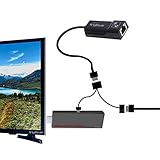
Ethernet Adapter for Streaming Media Sticks (2nd Gen) and Media Devices (2017), 4K Sticks (2019), USB Network Adapter USB Power Supply Cable Plus OTG Cable Adapter Included
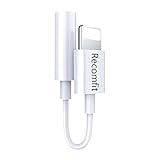
LAN Ethernet Adapter for (TV Stick 2nd Gen, 3rd Gen 4K, Gen 3rd 4K) Plus USB OTG Adapter, with 3 USB Port Hub for Most TV Streaming Devices - Media Stick - Xlentcomfortzone

Ethernet Adapter for CHROMECAST and FIRE Stick, Micro USB to RJ45 Ethernet Adapter with Power

Tanbin 4 in 1 Micro USB HUB Adaptor with Power Powered,Charging Charge OTG Host Cable Cord Adapter Connector for Android Smart Phone Tablet Samsung Galaxy S3 S4 S5 Note 2 3 4 Edge HTC One M7 M8 Desire

[2 Pack] Silicone Cover Case for Fire TV Stick 4K / Fire TV (3rd Gen) Compatible with All-New 2nd Gen Alexa Voice Remote Control (Red and Blue)
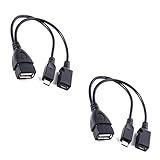
[2 PACK] TV xStream USB Port Adapter, Micro OTG Cable and Power - Compatible with Streaming Sticks, Media Devices, Rii and Logitech Keyboards, and Nintendo Switch, SNES, NES Classic

Yonisun Micro USB Host OTG Cable with USB Power for Samsung/HTC/Nexus/Lg Phones and Tablets

Cat 6 Ethernet Cable 50 ft White - Flat Internet Network Lan patch cords – Solid Cat6 High Speed Computer wire With clips& Snagless Rj45 Connectors for Router, modem – faster than Cat5e/Cat5 - 50 feet

UGREEN USB 3.0 Hub Ethernet Adapter 10/100/1000 Gigabit Network Converter with USB 3.0 Hub 3 Ports for Nintendo Switch, Windows Surface Pro, MacBook Air/Retina, iMac Pro, Chromebook, PC