Rayovac 824-24PP Alkaline AAA Batteries (24-pack)
![]() |
To hear a menu of options, draw an "M" with a circle around it on the special dot-matrix FLYpaper. Tap the drawing with the Fly pen, and wait for the computer to recite menu options, including scheduler, calculator, time, notepad, settings, and games. To select an option, print a check mark to the right of the "M." The computer announces your selection and options.
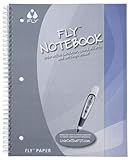
The Fly Pentop Computer is an electronic pen with a brain (a built-in computer processor) and a recorded voice. |
We felt a bit like the first viewers of television must have felt the first time we drew eight squares and a few circles with the fairly regular looking pen and paper, then started tapping the shapes to play "Twinkle Twinkle Little Star" (hey, we were overwhelmed; it was all we could think of in the moment…), with various percussives backing up the melody. Imagine where this technology can go!
For tweens today who have grown up with LeapFrog and other computer technology, getting the hang of the Fly shouldn’t be too tough. Some will simply turn it on (after installing the one AAA battery required) and start messing around, figuring it out on the fly, as it were. Others won’t mind wading through the kid-almost-friendly packet of manuals, stickers (tap on the goofy cartoon guy for a loud belch, the clock image for the correct time of day, the "Aaah!" for a scream worthy of Psycho), FLYpaper, and maps (the creator of Fly is a big believer in geography education). After an initially steep slope, the Fly’s learning curve levels out quickly. It’s mostly the small details that might create snags: backing out of a program already started, figuring out where to write a check mark when you’ve already written half a dozen of them next to the circled letter, that kind of thing. Pretty easily resolvable issues.
| |
The fly parts: Fly takes standard computer methodology and turns it on its head: instead of a mouse and keypad being the input devices and the screen being the output, writing and paper are the input and the speaker is the output. This is more than just a switcheroo of components. The impact lies more in how kids using the Fly will learn. Reading words and numbers on a monitor is very different from putting pen to paper and hearing responses. It’s somehow more interactive. Learning feels more flexible and forgiving.
![]() |
The whack parts: you have to hold the pen correctly (don’t block the camera or hold the pen too horizontally), print neatly and appropriately (capital letters, no connected script), and press firmly enough. The pen itself is somewhat ungainly, as compared to a regular Bic, but hey, there’s a whole computer in there, what do you expect? Also, the only paper Fly will respond to is the special dot-matrix "FLYpaper," so you’ll be locked into a purchasing cycle.
The entire Fly introductory kit comes with FLY Pentop Computer, earbuds, carrying case, FLY Launch Pad Guide, 17 games, 35 FLYpaper pages, 3 interactive FLY-FX cards, interactive map, 1 silver face plate, and 1 AAA Alkaline Battery. Additional paper, accessories, and interactive learning and game cartridges are sold separately. Winner of the Toy of the Year Award for 2005. --Emilie Coulter
| Country | USA |
| Binding | Toy |
| Brand | LeapFrog |
| EAN | 0708431377004 |
| IsAdultProduct | |
| IsAutographed | |
| IsMemorabilia | |
| Label | LeapFrog |
| LegalDisclaimer | Selling just the pen only |
| Manufacturer | LeapFrog |
| Model | 80-37700E |
| MPN | 80-37700E |
| PartNumber | 80-37700E |
| Publisher | LeapFrog |
| Studio | LeapFrog |
| ReleaseDate | 0000-00-00 |