

HAIFUAN Digital Keypad Door Lock with Backup Keys, Electronic Keyless Entry by Password Code,Card, Key, (RDJ-C, V2.0)
Product Description
HAIFUAN Digital Keypad Door Lock with Backup Keys, Electronic Keyless Entry by Password Code,Card, Key, (RDJ-C, V2.0)
- Keyless Entry,200 users in total, Easy to Install and Program
- Handle Direction is Reversible. For Door Thickness between 35~50mm (1-3/8" to 2")
- Programmable different codes for your employees or guests, Video Guide Available,Powered by 4 x AAA batteries (not Included)
- Operates indoor or Outdoor, Backset is Adjustable Between 2 3/8" and 2 3/4"
- Please Contact seller for Help if Any Question
Please check the handle direction carefully before purchasing, this is left hand, it is not reversible, if you need right hand, please buy from another listing
Handle Orientation
Please note the orientatoin of this lock is not reversible, so please make sure you choose the correct orientation you need. If you use your right hand to open the door to access into the room, then choose right hand, otherwise, you need the left one. This one is left hand. If you need right hand, please find it in our store with the ASIN OF B01KXU89B8
Digital Keyless Password Door Lock with backup KeysÂ
- Nickel Brushed FinishÂ
This password/combination door lock offers great convenience of reliable keyless access by code. User can setup ten different password/ codes for access, each code can be set from 1 to 13 digits. If needed, move the key cover and user can still use the backup keys included in the package to open the lock.Â
Features & Specifications:Â
Â
- Applicable door thickness : 35~45mm (1 3/8"-1 3/4")
- Password Length: 1-13 digitsÂ
- Password Capacity: 10 different passwordsÂ
- Powered by 4 x AA batteries (not included)Â
- Battery Life: Approx. 5,000 times openingÂ
- Alarm for Low Battery, and it still can open for approx. 50 times after low battery alarmÂ
Video Guide is available, contact seller if you need video guide
Problem shooting:
1.can't program the lock: please press the reset button for 2 seconds, then program it again(the reset button is on the back of front panel)
Technical Specifications
You might also like

Shells Colorful Bright Assorted Crystal Colors Plastic Spiral Coil Wrist Band Key Ring Chain
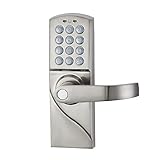
HAIFUAN Right Hand Digital Keypad Door Lock with Backup Keys, Electronic Keyless Entry by Password Code Combination(for Right Handed Doors Only)
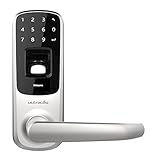
Ultraloq UL3 Fingerprint and Touchscreen Keyless Smart Lever Door Lock (Satin Nickel)

Kwikset 92640-001 Contemporary Electronic Keypad Single Cylinder Deadbolt with 1-Touch Motorized Locking, Satin Nickel

7875 Paragon Lock & Safe Digital Depository Safe .67 CF Cash Drop Safes Heavy Duty
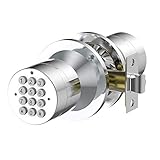
Advanced Security TurboLock Keyless Smart Lock Keypad - with Automatic Locking, Battery Backup & Easy Installation (No Bluetooth, Stainless Steel)