

HAME Wireless Wi-Fi Router,Wireless Travel Router,Wi-Fi Media Sharing for U Disk External Storage Space 4400mAh External Battery Charger
Product Description
HAME Wireless Wi-Fi Router,Wireless Travel Router,Wi-Fi Media Sharing for U Disk External Storage Space 4400mAh External Battery Charger
- Wireless upower&router support DHCP router mode.function as a normal router when connect the cable to the device by RJ45.
- Share Wi-Fi securely with others after router instantly convert a wired network to wireless network.
- U Disk Reader:Photos, Videos save to S9 directly.Capture and transfer photos, videos smoothly and wirelessly.Support 1080P videos.
- Working time up to 7 hours and standby time up to 10 hours as router,the battery with multiple safety protection , Smartphone,tables.
- Media Streamer & Sharer: play movies,photos,and music share with your families,friendsand strenm when connect smartphones,tables,TVs,medias players,Chromecast,Roku,and other DLAN devices,via APP Leting Udisk.
HAME S9 Wireless Upower 3 in 1 External 16G/32G/64G for Cellphones/Ipad/Ipod 4400mAh Portable Power Bank with Wi-Fi Router and U disk features
Description
Model:Wireless Upower & Router S9
Battery Capacity: 4400mAh
Input:5V/1A Output: 5V/1A
Indicator: 4 LED indicators
Wi-Fi :802.11b/g/n:150Mbps
Interface:
1*USB 2.0
1*Micro USB
1*RJ45
Charging Indicator:RED - Charging Blue - Full Charged Compatible advice
iPhone, iPad & Samsung Galaxy & More
Dimension:96mm*44mm*28mm Weight: 130g
APP:Leting Udisk
Package contents:
1*HAME S9 Power bank device
1*USB cable
1*User Manual
Warranty Note
100%NEW, ONE YEAR WARRANTY
Product User Guide
1.Scan QR codes and download "Leting Udisk" from APP Store
2.Please plug Udisk and HDD into USB as follows. Put the power button to "R", WiFi LED turns to blink blue, device is on
3.Connect iPhone to the device by WiFi WiFi SSID: HameDisk_xxxx WiFi Password: 12345678
APP User Guide
1.The APP main interface function description is as follows
2.Click "sync" button to start syncing. backed up to mobile phone contacts, photos, video Wireless Upower&Router
3.Click camera icon on the upper right corner. Take pictures and videos which can be saved directly to Wireless Upower&Router
4.Click "Wireless Udisk" button to check contents in Wireless Upower&Router
5.Click on the iPhone/ipï½d, to view the iPhone data, and data backup to the Wireless Upower&Router 6.Click on the icon ,Set the Wireless Upower&Router information
Technical Specifications
You might also like

Micro USB OTG Adapter by LDesign 4-In-1 Micro SD Card Reader On-The-Go USB Adapter - Mini, Compact, Portable - USB 2.0 Port & SDHC / TF Card Slot for Android or Windows Phones (Micro USB card reader)

Sony Portable Wireless Server (WGC10/N)

GL.iNet GL-MT300A Mini Travel Router with 2dbi external antenna, Wi-Fi Converter, OpenWrt Pre-installed, Repeater Bridge, 300Mbps High Performance, 128MB RAM, OpenVPN, Tor Compatible

GL.iNet GL-MT300N Mini Travel Router, Wi-Fi Converter, OpenWrt Pre-installed, Repeater Bridge, 300Mbps High Performance, OpenVPN Client, Tor Compatible
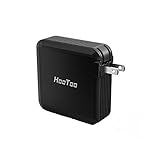
HooToo TripMate Elite Travel Wireless Router, 6000 mAh External Battery Pack, Dual USB Port, AC Charger, Wi-Fi Media Sharing for Flash Drive & Hard Disk Storage, Mini Travel Router
LxTek Remanufactured Ink Cartridge Replacement for HP 920XL (4 Pack) for CD975AN CD972AN CD973AN CD974AN for HP Officejet 6000 6500 7000 Printer, High Yield (1 Black |1 Yellow |1 Magenta |1 Cyan)

Arducam 5 Megapixels 1080p Sensor OV5647 Mini Camera Video Module for Raspberry Pi Model A/B/B+, Pi 2 and Raspberry Pi 3
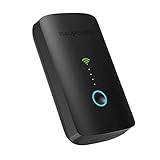
RAVPower FileHub Plus, Wireless Travel Router, SD Card Reader USB Portable Hard Drive Companion, DLNA NAS Sharing Media Streamer 6000mAh External Battery Pack