

IKONG 1Set+2BK High Capacity Replacement for Printer Ink HP 564(3Black, 1 Photo Black, 1 Cyan, 1 Magenta, 1 Yellow) Compatible with HP Photosmart 7520 6520 5520 7510 6510 c310a 7515 c6380
Product Description
IKONG 1Set+2BK High Capacity Replacement for Printer Ink HP 564(3Black, 1 Photo Black, 1 Cyan, 1 Magenta, 1 Yellow) Compatible with HP Photosmart 7520 6520 5520 7510 6510 c310a 7515 c6380
- Contents: HP 564 replacement Ink Cartridge(3Black, 1 Photo Black,1 Cyan,1 Magenta,1 Yellow) 7 pack
- Compatible With: HP Photosmart 7520,6520,5520,7510,6510,c310a,7515,c6380 printers
- Page Yield(approx):820 pages/Black and 770 pages/Color
- "XL"High-capacity ink cartridges enjoy your $AVING$ as well as reduce the times to replace new cartridges.Make vivid impression with color documents and color vibrancy for everyday prints.
- Remaining Ink levels accurately reported for compatible printers-same as OEM capability. One-year limited warranty.
1.Cartridge Code: HP 564 ink cartridge.
2.Color: 2 Black, 2 Photo Black,1 Cyan,1 Magenta,1 Yellow.
3.Ink Volume: Black 24ML, Photo Black/Cyan/magenta/Yellow 15ML per color.
4.Printer Compatibility: Photosmart D5460 ,D5463, D5468, C5324, C5370, C5373, C5380, C5383, C5388, 5510, 5511,5512, 5514, 5515, 5520, 6510, 6520, 7510, 7515, 7520 B8550, C6340, C6350, C6380, D5445, D7560, D5460 All-In-One Printer C309a ,C310a, 410a, Photosmart eStation C510a, Deskjet 3070a, Photosmart Plus B209a, B210a.
Instruction:
1.Removing the yellow label when install the new cartridges.
2.Putting some useless paper and tissue on table, make cartridges UPSIDE DOWN.
3.One minutes later, take off the protecting cover carefully,then install them into printer.(With some tissue in your hand for any case of leakiness).
NOTE:
1.If your printer appears an alert likes "Non-Genuine" ,press "Proceed" / "Continue" / "Accept" or "OK" to ignore the prompt. Additional alerts may display when you print or copy - dismiss the alerts accordingly.
3.When you receive an error "Cartridge cannot be recognized" or "Replace Cartridge" , please remove the affected cartridge and gently wipe the chip with a lint free cloth or rubber eraser. If issue persists, turn off printer and unplug the power source for 30 seconds then try again.
You're invited to contact us firstly if any problems occur.We always offer help here.
Technical Specifications
You might also like
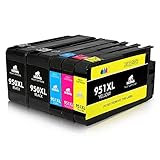
IKONG New Updated High Capacity Replacement for HP 950XL 951XL Ink Cartridge(1Set+1Black) Compatible with HP OfficeJet Pro 8600 8610 8620 8630 8660 8640 8615 8625 251DW 276DW 271DW
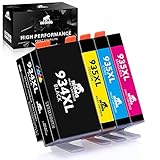
IKONG 1 Set High Yield Replacement for HP 934 935 Ink Cartridges ( New Generation Chips ) Compatible with HP Officejet Pro 6830 6230 6815 6835 6812 6820 6220 Printers
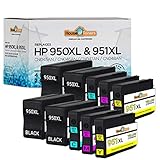
HouseOfToners Remanufactured Ink Cartridge Replacement for HP 950XL & 951XL (4 Black, 2 Cyan, 2 Magenta, 2 Yellow, 10-Pack)
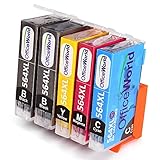
Office World 4 Color Printer Ink HP 564 XL, Compatible with HP Photosmart 5520 6520 7520 5510 6510 7510 7525 B8550 C6380 D7560 Premium C309A C410 Officejet 4620 Deskjet 3520
Office World 1 Set+1 BK Replacement for Epson Ink Cartridges 200XL,Compatible for Epson XP-410 XP-400 XP-300 XP-310 XP-200 Wf-2540 Wf-2530 Wf-2520

RFID Blocking Wallet, Genuine Leather Passport Holder Wallet Cover Case