

Inateck 4 Ports PCI-E to USB 3.0 Express Card Compatible Mac Pro (Early 2008 to 2012 Late Version) KT4004
Product Description
Inateck 4 Ports PCI-E to USB 3.0 Express Card Compatible Mac Pro (Early 2008 to 2012 Late Version) KT4004
- Expansion of 4 ports USB 3. 0 connections; No additional power supply for normal recognition and operation needed anymore, fast and easy installation, keeps your Mac Pro case tidy
- Compatible with Windows XP/ Vista/ 7/ 8/ 10. Windows 10 and Mac 10.8.2 and more latest systems are built with a driver inherently. Windows systems earlier than Windows 10 and Mac OS earlier than Mac 10.8.2 require installing a driver in CD
- With easy installation, simple solution for your Mac Pro. Enjoy copying videos, music, photos, data files between USB devices and the computer at blazing fast speeds
- SuperSpeed USB 3. 0 supports transfer rates of up to 5Gbps - The actual transmission speed is limited by the setting of the device connected
- Package: 1x USB3. 0 PCI-E Expansion Card; 1x CD Driver; 1x User's Manual
Due to frequently updated drivers, please download the latest version on our official website Inateck to enhance your using experience Features- No additional power supply for normal recognition and operation needed anymore, optimized board plane architecture, fast and easy installation, keeps your Mac Pro case tidy- With quick and easy installation, this PCI Express card expands your Mac Pro by four high-speed USB3. 0 interfaces, offers a simple solution for connecting to USB 3. 0 devices from your Mac Pro- Support UASP: 70% Faster than traditional USB 3. 0 with UASP. The UASP Transfer Protocol only can accelerate read and write speed of SSD hard disk. Supported Operating Systems The Expansion card is applicable to the MAC Pro ( 2008 to 2012 Version) - Incompatible with Mac OS X 10. 10 Yosemite or aboveMac OS 10. 8. 2 - 10. 9. 5 and Windows 8 - No additional drivers are needed for Mac Pro/Win8, it has built-in support for the FL1100 chipset Windows XP and Windows 7 (with included drivers)Power Usage Alerts-For stable operation, do not connect it to more than two high power-consuming devices, such as 1 TB hard drive. -For Mac OS users, the devices on the PCI-E card will disconnect if the computer goes into sleep. -This USB 3. 0 express card is not meant to serve as a stand-alone charger. If the card doesn't work properly from the start, you may try out the following steps Step 1: de- and reattach the devices to bee recognized, so the system can try another recognition search. Step 2: Augment with the optional power supply, so an automatic search can be retried. Step 3: Check the PCI-E socket on the main board for possible faults. Step 4: Try out another Mac Pro, if available, to determine the card's general functionality.
Technical Specifications
You might also like

EKLIND 54930 3 MM Cushion Grip Hex T-Handle T-Key allen wrench

Lycom DT-120 M.2 PCIe to PCIe 3.0 x4 Adapter (Support M.2 PCIe 2280, 2260, 2242)

OWC Mount Pro 2.5" Drive Sled for 2009-2012 Apple Mac Pro

OWC Accelsior S PCIe Adapter for 2.5" SATA III SSD Drives
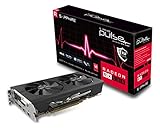
Sapphire Radeon 11265-05-20G Pulse RX 580 8GB GDDR5 Dual HDMI/ DVI-D/ Dual DP OC with Backplate (UEFI) PCI-E Graphics Card Graphic Cards

Mini 6 Pin to 6 Pin PCI Express Video Card Power Adapter Cable for Mac Pro G5 14-inch(35cm) (Pack of 2) COMeap

OSXWiFi Mac Pro 2009 (4,1) and Mac Pro 2010-2012 (5,1) – Handoff and Continuity Broadcom BCM94360CD 802.11 A/B/G/N/AC with Bluetooth 4.0 macOS Yosemite Mojave Catalina - 10.10+ Upgrade Kit

OWC Hard Drive Bracket for Mac Pro 2009, 2010, 2012
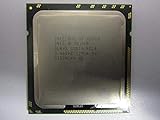
Intel Xeon X5690 Six Core Processor 3.46 GHz 6.4 GT/s 12MB Smart Cache LGA-1366 130W SLBVX (Renewed)
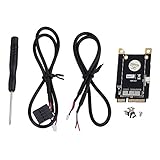
Shaluoman Mini PCI-E Adapter for BCM94360CD/BCM94331CD