

JOTO Compatible Toner Cartridge Replacement for Brother TN660 TN-660 TN630 TN-630 for Brother HL-L2300D HL-L2380DW HL-L2320D MFC-L2740DW MFC-L2700DW MFC-L2720DW Printer (Black, 2 Pack, High Yield)
Product Description
JOTO Compatible Toner Cartridge Replacement for Brother TN660 TN-660 TN630 TN-630 for Brother HL-L2300D HL-L2380DW HL-L2320D MFC-L2740DW MFC-L2700DW MFC-L2720DW Printer (Black, 2 Pack, High Yield)
- ? 1. Printer Compatibility: Brother HL-L2300D HL-L2380DW HL-L2320D MFC-L2740DW MFC-L2700DW MFC-L2720DW HL-L2305W HL-L2315DW MFC-L2685DW MFC-L2360DW DCP-L2540DW HL-2340DW MFC-L2707DW DCP-L2520DW HL-2360DW MFC-L2705DW MFC-L2680W DCP-2560DN
- ? 2. Package Contents: 2 x compatible with Brother TN660 black toner cartridges ( Total 2 Pack )
- ? 3. High Page Yield: Up to 2,600 pages per TN660 TN630 toner cartridge ( at 5% coverage ). Help save $ more than 70%.
- ?4.Product feature: JOTO TN660 toner made of high-quality environmentally friendly materials, take care of your health. Excellent toner allows you to print realistic photos and fade-resistant text.
- ? 5. Service &Quality assurance: through ISO-9001 and MSDS certification. 1 year of quality assurance. Every product is inspected strictly in each procedure to create the best quality.
Compatible replacement Brother TN660 toner cartridges (Non-OEM) are well manufactured by our own factory
which has advanced equipment and strict quality control to make sure
every Brother TN660 toner cartridge meets your expectation both on price and quality!
High Capacity: Each TN660 toner cartridge with high yield up to 2,600 pages (5% coverage).
You will receive 2 compatible Brother TN 660 toner cartridges.
Simple and easy to use:Â Please slightly shake the toner cartridge up and down several times to make the toner powder even inside.
Remove the orange cover then firmly insert the TN660 toner cartridge into your Brother drum unit in the printer.
The compatible Brother TN660 toner cartridges are compatible with Brother printers listed below:
Brother DCP-L2520DW DCP-L2540DW Brother HL-L2300D HL-L2320D HL-L2340DW HL-L2360DW HL-L2380DW
Brother-MFC Multi-Function MFC-L2700DW MFC-L2720DW MFC-L2740DW Printer
FAQ & Troubleshooting
"Replace the Toner Cartridge"
1.Make sure the machine is turned on. Open the front cover.
2. Remove the toner cartridge and drum unit assembly from the machine.
3. Push down the green lock lever and take the toner cartridge out of the drum unit.
4. Unpack the new toner cartridge. Remove the protective cover.
5. Put the new toner cartridge firmly into the drum unit until you hear it lock into place.
Make sure you put the toner cartridge in correctly or it may separate from the drum unit.
6.Clean the corona wire inside the drum unit by gently sliding the green tab from left to right and right to left several times.
Be sure to return the tab to the Home position ( ). The arrow on the tab must be aligned with the arrow on the drum unit.
If it is not, printed pages may have a vertical stripe.
7.Install the toner cartridge and drum unit assembly back into the machine.
8.Close the front cover of the machine.
Technical Specifications
You might also like
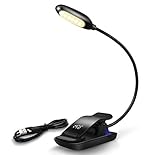
Book Light, YTE Rechargeable Reading Light with 6 Warm LED Light, 3-Level Brightness and Eye Care, Reading Lamp Up to 60 Hours, Clip on Books & Kindle, Perfect for Kids Gift, FCC CE RoHs Listed

Nintendo Switch Carry Case + 2PCS Tempered Glass Screen Protector, GIM Portable Protective Hard Shell Cover Travel Storage Bag with 20 Game Cartridge for Nintendo Switch Console & Accessories

GIM Mouse Pad Wrist Support Black Silicone Gel Wrist Rest Ergonomic Mouse Pad Mat for Laptop Computer Desktop - Non-Slip Rubber Base
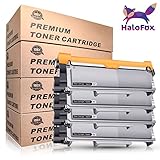
For Brother TN660 TN630 High Yield Multipack (4-pack) Toner Cartridges, Compatible with DCP-L2540DW HL-L2300D HL-L2340DW HL-L2360DW HL-L2380DW MFC-L2700DW MFC-L2740DW DCP-L2520DW HL-L2305W

GIM l187 Rechargeable Selfie Ring Light, Super Slim, Selfie Light Ring 3-Level Brightness 36 Led Portable For Phone Camera Photography Video, Clips On Ring Fill Light 3 Level, White
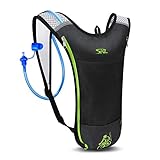
SKL Hydration Pack Water Backpack with Water Bladder 2L BPA Free Hydration BackPack For Running Cycling Biking Hiking Climbing Skiing Hunting Pouch (Black Luxury Kit)

Ergonomic Mouse Pad with Wrist Support - GIM Black Silicone Gel Wrist Support Mouse Pad Mat for Laptop Desktop - Non-slip Rubber Base

Inktoneram 3 Replacement for Brother TN660 TN630 TN-660 TN-630 Toner Cartridge, High Yield, Black