
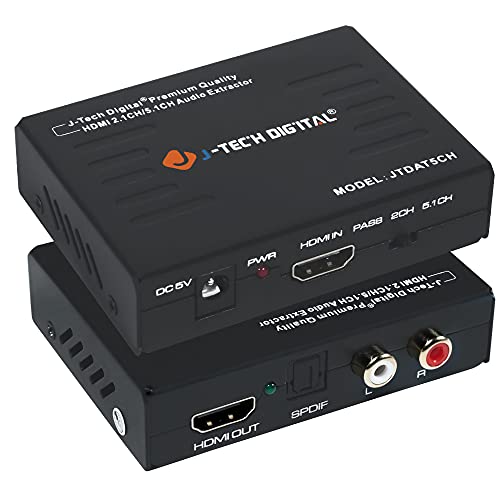
J-Tech Digital Premium Quality 1080P HDMI To HDMI + Audio (SPDIF + RCA Stereo) Audio Extractor Converter (JTDAT5CH)
Product Description
J-Tech Digital Premium Quality 1080P HDMI To HDMI + Audio (SPDIF + RCA Stereo) Audio Extractor Converter (JTDAT5CH)
- ✅ Extracts digital audio from an HDMI input and converts it to either a 2-channel analog stereo output or a 5.1-channel audio output. ARC functionality is not supported
- ✅ Supports the highest video resolution to 4K@30Hz. Supports 225MHz/2.25Gbps per channel bandwidth
- ✅ Supports 12bit per channel (36bit all channel) deep color. Supports HDCP, Video EDID Pass Through; Plug & Play
- ✅ Audio EDID Settings: 2CH for L/R or SPDIF stereo output; 5.1CH for SPDIF Output, Supports uncompressed audio such as LPCM. Supports compressed audio such as DTS Digital, Dolby Digital
- ✅ Provides the Best Flexibility through Three NEW Audio EDID Settings: Pass, 2CH and 5.1CH, Support 3D video (To get 3D, all units connected to the splitter outputs must support 3D). This item supports Apple TV and various Blu-ray player and satellite receivers
This device extracts the digital audio signal from the HDMI input and converts it to 2 channel analog stereo output or 5.1 channel Audio outputs.
To improve our customers experience, we posted the following three methods if you experience no sound from output.
1. Switch EDID Button
Switch the EDID audio switch in the front. Change it between 2CH, 5CH or pass.
2. Turn Off Dolby Digital Plus
Because TOSLINK (SPDIF) does not support Dolby Digital Plus, you need to turn off Dolby Digital Plus function of the input devices. Then the sound can go through the extractor.
a: Amazon Fire TV or Amazon Fire TV Stick
Settings - Display Sound - Audio - Dolby Digital Output - Dolby Digital Plus off
b: Apple TV
Settings - Audio Video - Dolby Digital - on
c: Chromecast
Chromecast plays the contents from your video source, please make sure to turn off the Dolby Digital Plus on the video source through the play devices.
3: If you use the HDMI to DVI or HDMI to VGA cable for the video, you may experience no audio out. In this case, please use HDMI to HDMI cable for the video.
Technical Specifications
You might also like

Optical to Coaxial OR Coax to Optical Digital Audio Converter, Bi-Directional Digital SPDIF Toslink Optical to/from Coaxial Digital Audio Signal Adapter/Repeater by ROOFULL
T POWER 9v~12v (6.6ft Long Cable) Ac Dc Adapter Compatible with X Rocker Pro Series H3 51259 Video Gaming Chair 51231,51396 & V Rocker 5130301 SE Power Supply Cord Charger
UGREEN 3.5mm Female to 2 RCA Male Stereo Audio Y Cable Adapter Gold Plated Compatible for Smartphones, MP3, Tablets, Home Theater (3FT)
HDMI Cable - 1FT (2 Pack), FosPower 4K Latest Standard 2.0 HDMI Ready [UL Listed][Nylon Braided Cord] - Ultra High Speed 18Gbps - Supports 4K 2160p UHD 3D HDR 1080p (24K Gold Plated Connector)

PROZOR 192KHz Digital to Analog Audio Converter DAC Digital SPDIF Optical to Analog L/R RCA Converter Toslink Optical to 3.5mm Jack Adapter for PS3 HD DVD PS4 Amp Apple TV Home Cinema

Epson Home Cinema 1060 Full HD 1080p 3,100 lumens color brightness (color light output) 3,100 lumens white brightness (white light output) 2x HDMI (1x MHL) built-in speakers 3LCD projector
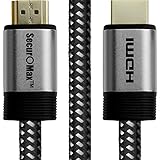
HDMI Cable (4K 60Hz, HDMI 2.0, HDCP 2.2, HDR, 18Gbps) with Braided Cord, 2 Feet
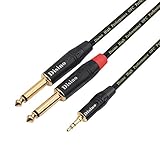
TISINO 1/8 Inch TRS Stereo to Dual 1/4 inch TS Mono Y-Splitter Cable 3.5mm Aux Mini Jack Stereo Breakout Cable Path Cords - 3 feet

Analog to Digital Audio Converter,Musou Aluminum R/L RCA 3.5mm AUX to Digital Coaxial Toslink Optical Audio Adapter with Optical Cable
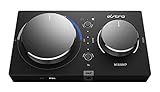
ASTRO Gaming MixAmp Pro TR with Dolby Audio for PS4, PC, Mac