

avedio links HDMI to Component Video (YPbPr) RGB + R/L Audio Converter 1080p Support 2 Channels LPCM for PS3, PS4, Blu-ray DVD, Xbox
Product Description
avedio links HDMI to Component Video (YPbPr) RGB + R/L Audio Converter 1080p Support 2 Channels LPCM for PS3, PS4, Blu-ray DVD, Xbox
- Easy to Use, install in seconds, no need of setting,Convert HDMI input into analog YPbPr video and R/L audio signal output,its not work for reversed.
- Supports 165MHz/1.65Ghps per channel(6.75Gps all channel)bandwidth for HDMI Input' HDMI resolutions 480Pat50/60Hz, 576Pat50/60Hz, 720Pat50/60Hz, 1080iat50/60Hz; Component Video resolutions 480Pat50/60Hz, 576Pat50/60Hz, 720Pat50/60Hz, 1080iat50/60Hz
- Compatible with DVI by a DVI-HDMI cable or connector (not included) Support PS3, PS4, Blu-ray DVD, XBOX, Notebook and so on
- Note: Not support Apple TV(Please see the information clearly before you buy it)
- Refer User Manual on Technical Specification before use
This converter box converts HDMI to Component Video (Y-Pb-Pr) and stereo audio. It allows you to enjoy your high definition movies and games on the older component TV's or projectors that don't have an HDMI input.
2) FeaturesÂ
* Audio output format: 2 channel LPCM;Â
* Compliant with HDMI 1.3Â
* Support HDCP 1.2:Â
* Supports 165MHz/1.65Ghps per channel(6.75Gps all channel)bandwidth for HDMI Input'Â
* HDMI resolutionsÂ
480P@50/60Hz, 576P@50/60Hz, 720P@50/60Hz, 1080i@50/60Hz;Â
* Component Video resolutionsÂ
480P@50/60Hz,576P@50/60Hz,720P@50/60Hz, 1080i@50/60HzÂ
3) Troubleshooting Steps:
1. Connect the HDMI input from source device to this converter.(Input cables are optional)
2. Connect the YPbPr and R/L audio output of this product to the display device.Â
3. Insert the DC side of 5V power supply into this product and then connect the AC side of the power supply into the wall outlet.Â
4. Power on all connected devices,Choose the input of the display deviceto its YPbPr channel.Â
5. The image does not need to be adjusted, the Converter will position it automatically, the user may adjust the horizontal position under some extreme condition.
 6. Some traditional CTR display not work after connected witch this Converter This mainly caused by these Displays only supporting 480i and 576i YPbPr interlaced resolution. Therefore, we suggest to choose LCD Display or those can support YPbPr CRT Displays.Â
7.Some connected Displays may have no image after setting the resolution of HDMI source at 1080P.This not caused by our products but YPbPr channel of Displays not supporting resolution at 1080P.Â
8.Please find the below troubleshooting steps :Â
9.Please try different resolution.Â
10.Please try another power adapter if any.Â
11.Please try short HDMI Cable,such as 1m,2m.Â
12.Please try another component cable.Â
13.Please try another devices as well.Â
14.Please check all connections
Technical Specifications
You might also like

BlueRigger 5-RCA Component Video and Audio Cable (6 Feet)

Mediabridge Component Video Cables with Audio (6 Feet) - Gold Plated RCA to RCA - Supports 1080i

Monoprice 1.5ft 22AWG 5-RCA Component Video/Audio Coaxial Cable (RG-59/U) - Black
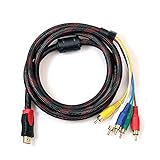
Alotm HDMI to RCA Cable, 5 Feet 1.5m HDMI Male to 5-RCA Male Connector Video Audio AV Component Adapter Extractor Jacks Cord for HDTV HDTV DVD 1080P Plasma TV LCD Projectors

HDMI to YPbPr Converter Adapter, avedio links HDMI to 5RCA Component Converter, Supports 1080P Video Audio Converter Adapter for DVD PSP Xbox 360 PS2 Nintendo to HDTV Monitor

Portta Component to HDMI Converter, Portta YPbPr Component RGB + R/L Audio to HDMI Converter v1.3 Support 1080P 24bit 2 Channel Audio LPCM for HDTV PS3 PS4 HDVD Player Wii Xbox and More

Zepthus 5RCA Component RGB YPbPr to HDMI v1.3 HDCP Video Audio Converter for HDTV, DVD, PSP, Wii
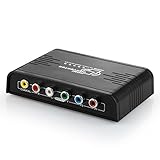
Musou HDMI to 1080P Component Video (YPbPr) Scaler Converter Adapter with Coaxial Audio Output + R / L Audio Support Windows 10,Black

Cmple - 3-RCA Male to 3RCA Male RGB Component Video Cable For HDTV - 3 Feet