

LGIDTECH FUT066 Miboxer 12W RGB+CCT Led Recessed Ceiling Downlight AC 100-240V, RGB Color Changing,Color Temperature Adjustable,Smartphone Can't Control Directly
Product Description
LGIDTECH FUT066 Miboxer 12W RGB+CCT Led Recessed Ceiling Downlight AC 100-240V, RGB Color Changing,Color Temperature Adjustable,Smartphone Can't Control Directly
- 1)Smartphone APP Can't control it directly: Needs WL-Box2 gateway for APP control,it's sold separately,please search B01N7C3HXQ
- 2)RGBW color changing.You can get over 16 million colors with this lamp for your house.Whatever kind of color you want for a party,family time,romantic dinner or just watching TV with kids,you can find the right color from this light
- 3)2700-6500K CCT color temperature changeable:You can adjust the white color from warm/soft white to daylight and cool white.And you also can adjust the brightness for your situation.
- 4)Compatible with Miboxer remote controller like FUT092 (search B01N5A84XH), FUT089 (search B071Y4MHXH),B4 (search B06XRMSMXH),B8 (search B07HFVNJJ6 )
- 5)DMX512 Function: You can control it with DMX512 console via FUTD01 transmitter(Excluded,please search B078DF8P9Q)
- 6)Memory Function: Light will keep the same color,brightness,color changing mode before it's turned off,you don't have to set it every time.
- 7)No Plug: Driver wires end with bare wire,no plug no socket
This lamp can be controlled by 4-Zone Remote-ASIN B01N5A84XH 4-Zone Wall Panel B4-ASIN B06XRMSMXH 8-zone remote-ASIN B071Y4MHXH 8-zone panel-ASIN B071DG11MK WiFi iBox1 hub-ASIN B01MRPMW2X WiFi iBox2 hub-ASIN B01N7C3HXQ But none of these controllers are included in this controller package,please check them in our store.Thanks! Neither remote nor milight wifi ibox is included in this price!!! Product Name: 12W RGB+CCT LED Downlight Model No: FUT066 Power: 12W Voltage: AC86-265V / 50-60Hz Kelvin: 2700-6500K Luminous Flux: 1100LM Luminous Efficiency: 88LM/W CRI: >80 Beam Angle: 120° PF: >0.5 Material: Aluminum+PC Cover Control Distance: 30m Size: Φ180*40mm Hole Size:150mm Application Areas: apartments, houses, offices, buildings Link First,power off the lamp,then power on,touch any "zone on" key on remote 3 times within 3 seconds The link is done when the lamp blinks 3 times with green color,otherwise,try again after 10 seconds. Unlink First,power off the lamp,then power on,touch the linked "zone on" key on the remote 5 times within 3 seconds(If you want unlink all lamps linked witht the remote,touch the "master on" key). The unlink is done when you see the lamp blinks 9 times with red color,otherwise,try again after 10 seconds.
Technical Specifications
You might also like

Mi.Light B4 Wireless 2.4G RF 4-Zone Wall-Mounted Smart Panel Controller DC 3V Only Work with Mi-Light The Newest RGB+CCT Series LED Light Bulb,Spotlight,Downlight,Flood Light

Mi.Light 2.4G 8-Zone LED Wireless Remote Controller(No Batteries) Only Work with Milight RGB+CCT WiFi LED Light Bulb,Downlight,Strip Controller.Not Work with FUT035 FUT036 FUT037 FUT038 FUT039 FUT015
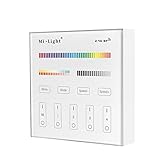
LIGHTEU, Battery Powered B4 4-Zone RGB+CCT Smart Panel RF Controller for LED Strip Light Lamp Bulb(FUTB4)

Milight 2.4G RF Wireless 4-Zone RGB+CCT Remote Controller for Mi-Light RGB+CCT WiFi Led Light Bulb 8W E26,4W GU10 MR16,35W 50W Flood Light,Led Strip Controller,Also Newest Version RGBW Series
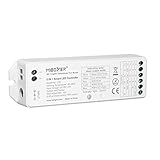
Mi.Light LS2 Led Strip Lights 2.4GHz Wirelss 5 In 1 Controller,Compatible With Single Color,RGB,RGBW,WW+CW,RGB+CCT Led Strip Lights,8-Zone Remote & iBox Hub For Smartphone APP Control Sold Separately
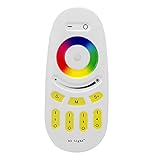
LGIDTECH Mi.Light RGBW Remote 2.4G 4-Zone Full Touch LED Controller(Batteries not Included) for Milight RGBW LED Bulb,Downlight,RGB RGBW LED Strip Lights Controller Receiver Box FUT037 FUT038

LGIDTECH WL-Box1 Miboxer 2.4GHz WiFi Bridge Controller Hub for iOS iPhone Android Smartphone Control Milight Series LED Bulb,Downlight,Ribbon Controller,Compatible with Alexa Google Home (iBox2 VUP)