

Mi-Light Smart WiFi Voice Remote Control YT1, DC5V USB 4G iOS Android APP Controller, for MiLight 2.4GHz RGB CCT RGBW LED Strip Light Bulb
Product Description
Mi-Light Smart WiFi Voice Remote Control YT1, DC5V USB 4G iOS Android APP Controller, for MiLight 2.4GHz RGB CCT RGBW LED Strip Light Bulb
- 【WIDE COMPATIBILITY】This Wi-Fi remote controller is compatible with Mi-light 2.4GHz RF products: 4W MR16 Bulbs, 4W GU10 Bulbs; and controlled by Mi-Light Cloud App through Wi-Fi or 4G network.
- 【16 MILLION COLOR CONTROL】16 Millions of colors to choose. Two-way signal communication let you know the lighting status at any time.
- 【VOICE CONTROL】The Wi-Fi remote controller support Amazon Echo Voice control. It supports you to voice control almost all of Mi-Light products with Amazon Alexa, except some single zone LED strip lights controllers.
- 【DIMMABLE CONTROL】Dimmable Saturation control. The color temperature from 2700-6500K. You can adjust the light from warm white to cool white.
- 【NOTE】It doesn't support group control while Alexa voice controlling,just control all lamps as one group. Please check description for which product can be controlled before buying. Thanks!
Compatible with all RGB+CCT Bulbs:
4W MR16 Bulbs(ASIN: B01LARLAIW), 4W GU10 Bulbs(ASIN: B01LVYWE41)
Product Details:
Product Name: Wi-Fi Remote Control
Model No.: YT1
Input: DC5V/500mA(Micro USB)
Work Temperature: -20~60℃
Communication Mode: Wi-Fi-IEEE 802.11b/g/n 2.4GHz
Size: 33*33*57mm
Features:
1. This Wi-Fi remote controller is compatible with Mi-light 2.4GHz RF products; and controlled by Mi-Light Cloud App through Wi-Fi or 4G network.
2. Two-way signal communication let you know the lighting status at any time.
3. Support Amazon Echo Voice control.
4. Color temperature 2700-6500K.
5. 16 Millions of colors to choose.
6. Dimmable Saturation control.
How to use:
1. Install APP, and add devices(See details on Mi-Light Cloud APP instructions).
2. Click "Remote" on the device list to enter control interface.
3. Click "Change" to select compatible remote for the lights(Note: if you select wrong remote,
you cannot control the lights).
4. Click "Link/ Unlink".
5. Link/ Unlink method, See details on APP link/ unlink instruction.
6. After linking successfully, back to the control interface to control the lights.
Note:
This Wi-Fi Remote Control cannot group control. That means once you connect lamps to Alexa, all product color changing, ON&OFF at the same time.
Package Included:
1 x YT1 Wi-Fi Remote Control
Technical Specifications
You might also like
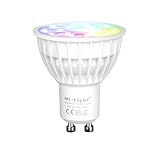
Mi-Light Smart Light Bulb, GU10 4W RGB+CCT LED Spotlight, Dimmable Color Changing LED Lamp, for Movie Night Party Scene, Controlled by Mi Light WiFi ibox/Remote
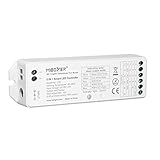
Mi.Light LS2 Led Strip Lights 2.4GHz Wirelss 5 In 1 Controller,Compatible With Single Color,RGB,RGBW,WW+CW,RGB+CCT Led Strip Lights,8-Zone Remote & iBox Hub For Smartphone APP Control Sold Separately
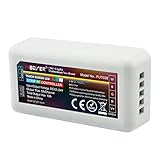
LGIDTECH Mi.Light FUT038 RGBW LED Strip 2.4GHz RF Wireless 4-Zone Controller Receiver Box DC 12-24V.RGBW Remote,B3 T3 Panel And iBox1 iBox2 Bridge Hub For Smartphone APP Control is All Sold Separately

LEDENET 5pins 10mm LED RGBW Strip Light Quick Connectors to Strip Any Angel Turn, No Welding, Easy Solution DIY (10-Pack)

Mi.Light 50W RGB+CCT Outdoor Waterproof Landscape Lighting 2.4G WiFi Smart LED Flood Light Fixture AC85-265V Color Changing,2700-6500K Color Temperature Adjustable(Wireless 2.4G RF Remote Not Include)
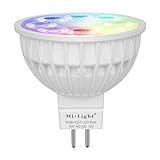
Mi-Light Dimmable MR16 4W Led Bulb RGB+CCT LED Spotlight Smart Home Led Light Bulb Lamp Need Controlled by Mi Light WiFi ibox/Remote

LGIDTECH Milight 2.4GHz WiFi Bridge Controller Hub iBox2 Newest 3.0 Version Wireless for iOS iPhone Android Smartphone Control Mi Light Series Led Bulb,Downlight,Ribbon Controller,Not Work with Alexa