

Microsoft Lync 2010 Introduction Quick Reference Guide (Cheat Sheet of Instructions, Tips & Shortcuts - Laminated Card)
R 415
or 4 x payments of R103.75 with
Availability: Currently in Stock
Delivery: 10-20 working days
Please be aware orders placed now will not arrive in time for Christmas, please check delivery times.
Microsoft Lync 2010 Introduction Quick Reference Guide (Cheat Sheet of Instructions, Tips & Shortcuts - Laminated Card)
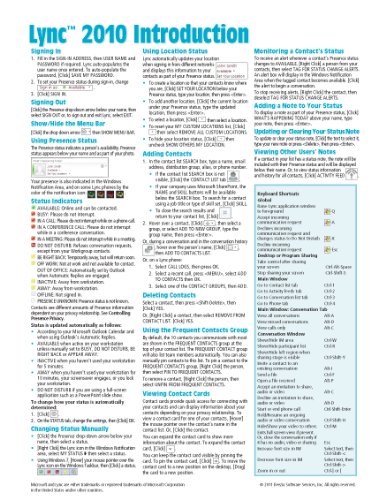
Laminated quick reference card showing step-by-step instructions and shortcuts for how to use Microsoft Lync 2010. This guide is suitable as a training handout, or simply an easy to use reference guide, for any type of user. The following topics are included:
Signing In/Out, Using Presence Status, Status Indicators, Changing Status Manually, Using Location Status. Adding Contacts, Deleting Contacts, Using the Frequent Contacts Group, Viewing Contact Cards, Monitoring a Contact's Status, Adding a Note to Your Status, Updating or Clearing a Status Note, Viewing Other Users' Notes, Creating and Using Groups. Starting a Conversation, Sending an Instant Message, Marking Conversation as High Importance, Changing Conversation Subject, Hiding the Instant Message Area, Show/Hide the Conversation Window Menu Bar, Inviting Additional Participants to Your Conversation, Sending a File, Receiving a File, Changing Where your Received Files are Saved. E-Mailing a Contact. Scheduling a Meeting. Sharing Your Desktop or a Program; Sharing PowerPoint, Whiteboard, or Polls; Switching Between Shared Content. Controlling Presence Privacy, Viewing Presence Information in Outlook. Responding to an E-mail with an Instant Message. Responding to an Email with a Call. Also includes a list of keyboard shortcuts.