

Product Description
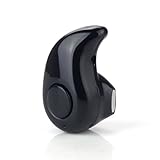
Mini Wireless Earbud
- The Newest bluetooth headset with lightweight and compact portable design. Simple and Stylish.
- Built in HD and Sensitivity microphone. Idea for in car calling or working Office use. Support A2DP , makes you can enjoy clear and natural sound when calling.
- Built-in 50mAh polymer battery. Up to 4 hours of continuous talk time, 3 hours of music time. Can connected with two smartphone at the same time, the wireless range up to 10 meters.
- Pairing Instruction: Press the power button of the headset for about 5 SECONDS or LONGER until you see the Blue & Red Light blinks alternately or Hear a beat, then you could connect it with your cellphone.
- Attentions: Only include one Right earbud; Only need to charging 2 hours, do not over 2 hours.
Mini Wireless Bluetooth 4.0 Earphone with Mic
Specification:
Bluetooth Version: V4.0+EDR
Wireless Frequency:2.402-2.480GHz
Transmission power:Class2
Talk time:about 4 hours
Music playing time:about 3 hours
Stand by time:about 120 hours
Effective range: 10 meters
Weight:about 42g
Features:
Handsfree headset
Light weight, portable, easy to carry
Ultra mini design ,stealth,popular and beautiful
Enjoy High quality music: Bluetooth 4.0
Voice broadcast when you receive a call
One button to answer call, built-in microphone Play the music in your phone (after Bluetooth pairing)
Can be connected with 2 bluetooth devices at the same time
Can be compatible with various bluetooth enabled devices such as :mobile phones,ipad,PC,etc.
Package Includes:
1 x Mini Bluetooth Earphone
1 x USB cable
Tips To Use:
1. Before you start using the headset, please use the USB charger cable to charge first.
2. Power on and enter pairing mode automatically: press the power button of the headset for 5 seconds until you see the blue-red light blinking alternately.
3. Make sure you turned on the bluetooth on your phone, search and connect headset model ("S530") on it.
4. Power off: press the power button for 3-5 seconds until you see the red light is on.
5. Changing Chinese and English mode: press the power button for about 1 second, and then release.
6. Power indicator charging: when charging, the red light is on; after fully charged, it shows no light.
Technical Specifications
You might also like
Mini Wireless Bluetooth 4.0 Invisible Earphone Headset Headphone Inear Earbud Support Hands-free Calling-Coffee

Homego Bluetooth Wrist Smart Watch Phone Mate Handsfree Call
Bluetooth Earbud, Dokpav Wireless Headphone with 10 Hours Talking Time Car Headset with HD Microphone and Noise Cancellation-Single Piece (Black)

Iwoo Bluetooth Headphone, Blue

Mini Invisible Bluetooth Earbud,V4.1 Stereo Wireless Bluetooth Earphone with Built-in Mic,Sports Noise Cancelling in-Ear Headphone for iPhone Samsung and Other Android Phones (Black)
Wireless mini Invisible Bluetooth Headphones, Smallest Wireless Earphones Earbuds Headset with Mic for Most Bluetooth Smartphones iPhone Samsung Xiaomi Sony Lenovo HTC LG (Blue)
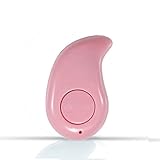
Mini Wireless Earbud

U Watch Smart Watch Bluetooth Watch for Android smartphones and iPhone(Black)
[Right Ear Version] Mini Bluetooth Wireless Invisible Headphone, Smallest Wireless Earphones Earbuds Headphones headset with Mic For iPhone, iPad, Samsung, Most Bluetooth Smartphones