

Neenah IMAGE CLIP LASER Light Transfer Paper For Laser Printers 20 sheets
Product Description
Neenah IMAGE CLIP LASER Light Transfer Paper For Laser Printers 20 sheets
- INSTRUCTIONS IMAGE CLIP LASER LIGHT TRANSFER PAPER: PRINTING 1) Mirror the Image. 2) Laser print the coated side of the paper identified as the Imaging Sheet
- 3) IMAGE CLIP® Laser Light Paper should be fed into the copier or printer with the short dimension first (grain long). For best fusing results use a heavy paper setting.
- WASHING INSTRUCTIONS Turn garment inside out and wash in cold water using a mild detergent. Do not use bleach. Dry on low heat setting. Do not iron directly on the transferred area.
TRANSFERRING IMAGE CLIP LASER LIGHT TRANSFER PAPER
Use Commercial Heat Press
1) Marry the imaged sheet with the transfer sheet. This will apply the transfer coating to the imaged area. Press: 10 seconds at 210° F using light/medium pressure
.
Separate the papers while still hot.
2. Place the imaging sheet face down onto the fabric. Press: 15 seconds at 400° F using heavy pressure.
Peel off the backing paper while it is still hot. For the best feel, stretch the fabric after pressing while it is still hot.
Technical Specifications
You might also like
LASER TRANSFER FOR DARK FABRIC: "IMAGE CLIP KONCERT-T's" (8.5"X11") 25pk :)
Laser Dark Transfer Paper IMAGE CLIP® LASER DARK HEAT TRANSFER PAPER. 9849P0 8.5" x 11" -10 Sheets-
ImageClip Laser Dark Heat Transfer Paper 8.5 x 11 (5 sheets) *SAMPLE PACK*

3 Pack Teflon Sheet For 16x20 Heat Press Transfer Sheet SUPER SALE LIMITED TIME

Laser 1 Opaque Dark Shirt Heat Transfer Paper 8.5x11 25
LASER DARK TRANSFER PAPER: NEENAH "IMAGE CLIP LASER DARK" (8.5"X11") 25Pk :)
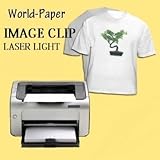
IMAGE CLIP Laser Light Heat Transfer Paper 8.5x11 (50 Sheets)
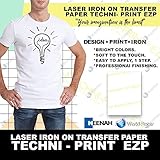
Techni-Print EZP Laser Heat Transfer Paper 8.5"x11" 25
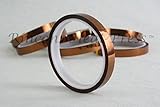
High Temperature Tape 1/2" Wide, Kapton No Residue Heat Tape for Sublimation and Heat Transfe