
Nikon D5300 D5500 LCD Tempered Glass Screen Protector, Poyiccot Optical 9H Hardness 0.3mm Ultra-Thin DSLR Camera Tempered Glass for Nikon D5300 D5500
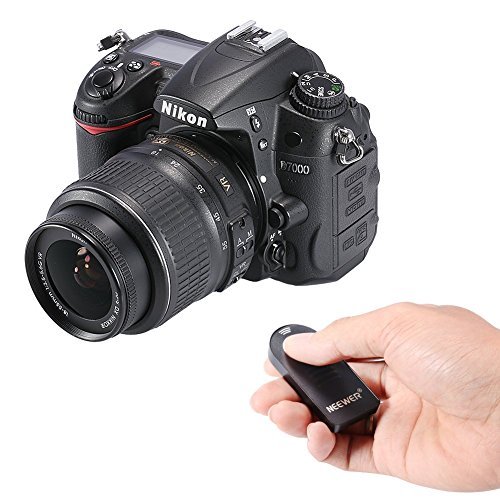
* Please set your Camera in Remote Mode before use it
* For the first time use. please pull out the plastic separator at the battery holder.
* Mount the camera on a tripod or place the camera on a stable, level surface.
* Press the button and rotate main command dial until (delayed remote) or (quick response remote) is displayed in the control panel.
* Aim the transmitter on the remote control at the infrared receiver on the camera (usually within+/-30 degree of the lens axis, from the left to the right and from the top to the bottom) and press the shutter release button on the remote control (when using the remote outdoors, make sure that the subject is not backlit and that the line of site between the transmitter and the infrared receiver is not blocked by the lens or other obstacles).
* How the camera focuses and shoots depends on the option selected for your camera's customer setting. for further information, check your camera's manual.
* Infrared cannot be seen by human eyes. so you will see no visible light from the LED on the front end of the remote control when operating .
* Battery: CR2025
Package contents:
1x Remote Controller ML-L3 (CR2025 Battery included)
| Country | USA |
| Binding | Electronics |
| Brand | Neewer |
| EAN | 0602668013202 |
| Label | Neewer |
| Manufacturer | Neewer |
| MPN | ML-L3 |
| PartNumber | ML-L3 |
| Publisher | Neewer |
| Studio | Neewer |
| ReleaseDate | 0000-00-00 |