
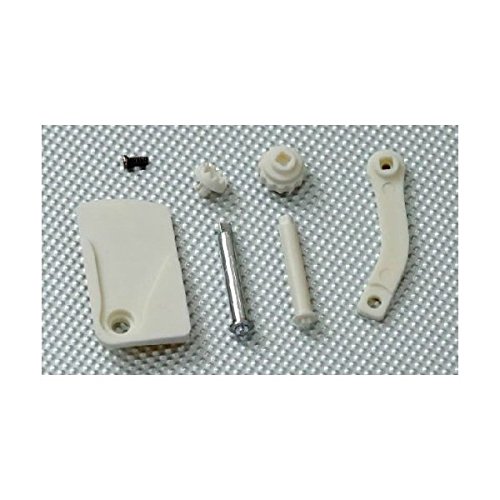


SummitLink® New Pitch Control Lever Kit for Phantom Transmitter Ch7 Zenmuse Tarot Tilt Slide
R 604
or 4 x payments of R151.00 with
Availability: Currently in Stock
Delivery: 10-20 working days
SummitLink® New Pitch Control Lever Kit for Phantom Transmitter Ch7 Zenmuse Tarot Tilt Slide
New Pitch Control Lever Kit for Phantom Transmitter Ch7 Zenmuse Tarot Tilt Slide
Features:
- Easy to use
- Allows you to conveniently adjust the pitch of your camera (facing up or down) while flying your Phantom to get the shots you want!
- Fits easily into the back of the transmitter
- No extra parts or DIY projects required, so you can start shooting amazing aerial footage in minutes!
PHANTOM SLIDE LEVER INSTRUCTION V1.00
The Slide lever can be used for gimbal tilt control.
1. Remove the screws on the back of the Transmitter to open the
rear cover.Fig.1 shows the Mount postion.
2. (Fig.2)Peer off the sticker on double-sided tape.(Fig.3)Mount
the Slide Lever with the screw(M2.0 x4.5). Thread locker is not
recommended.Make sure the Slide Lever can slide smoothly.
3. Make sure the Slide Lever is in the correct possition(Fig.4)
and the cross-head is properly fitted into the cress-slot(Fig.5)
and then reinstall the rear cover and fix the screws to finish the
installation. You can confirm the correct installation in
Assistant software:Basic -> RC -> Sticks Monitor.