

Plantronics - Voyager Legend (Poly) - Bluetooth Single-Ear (Monaural) Headset - Connect to your PC, Mac, Tablet and/or Cell Phone - Noise Canceling,Black
Product Description
Plantronics - Voyager Legend (Poly) - Bluetooth Single-Ear (Monaural) Headset - Connect to your PC, Mac, Tablet and/or Cell Phone - Noise Canceling,Black
- DISCONTINUED - Ideal For: mobile professional who relies on mobile phone for on-the-go communication.Compatible with Windows or Mac OS.Compatible phone models:iPhone X
- Connect To: For someone that needs to take and receive calls on a mobile phone
- Audio Performance: Crystal clear Bluetooth audio quality with triple-mic active Digital Signal Processing (DSP), & wind canceling
- Talk Time & Roaming Range: Up to 7 hours of talk time and you can roam up to 98 feet (30 meters)
Plantronics Voyager Legend is the newest headset in the Voyager family to deliver unsurpassed audio clarity and all€Âday comfort. Combining triple€Âmics that cancel noise and wind, voice commands, and Smart Sensor technology, Voyager Legend understands how and when you want to talk. Sensors react when you put the headset on, letting you quickly take a call without a click. If you€re already wearing it, Voyager Legend announces who€s calling and waits for you to say "answer" or "ignore." Simply tap the voice command button and ask to check battery level, connection status, and more. With technology this nimble, Legend is the first truly intelligent Bluetooth headset.
Find MyHeadset Andriod App
There are two ways to find your misplaced Plantronics headset.
Send a Note: If you think your headset is powered on and within 33ft/10m of your phone, play a sound file through your headset and hear it signal where it is.
Track It: If you think your headset is powered off or too far away, review its recent activity on a time - stamped map to discover where your headset was last used. (Your GPS location services on your phone must be enabled)
Bonus: If you have the latest Android OS 3.0 or later you will receive an on-screen headset battery meter in the notification bar.
Technical Specifications
You might also like

Plantronics Charge Case for Bluetooth Headset Voyager Legend - Black - Voyager Legend Portable Charge Case

Plantronics Voyager Legend Charge Cable

CHOCKALOTTA 1-Pack in-Ear Tip Adapter Mount for Plantronics Voyager 5200 & Voyager Legend Headset (Includes 3-Piece S/M/L Silicone Ear Tips)

Yealink BT40 Bluetooth USB Dongle
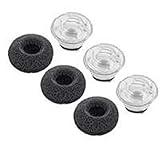
Plantronics Voyager Legend Eartip Kit - Non-Retail Packaging - Small - Black

Eartip Kit Replacement for Plantronics Voyager Legend Bluetooth Headset, Medium Size Earbuds Ear Gels Tips and Foam for Voyager Legend / 5200 Earphone [ 6 Pack ] (Medium Clear)

Original Plantronics Voyager Legend Eartips Replacement Earbuds Kit by Wireless Pro for Plantronics Voyager Legend & Plantronics Voyager Pro - Foam Included in Accessories- Medium-1PACK

Plantronics VOYAGER-5200-UC (206110-101) Advanced NC Bluetooth Headsets System