

ProChosen C120 Rechargeable 2.4 G Mini Wireless Air Mouse with Qwerty Keyboard Gyroscope Remote Control for Kodi Android TV Box PC HTPC Game Media Player Windows Mac OS Linux
Product Description
ProChosen C120 Rechargeable 2.4 G Mini Wireless Air Mouse with Qwerty Keyboard Gyroscope Remote Control for Kodi Android TV Box PC HTPC Game Media Player Windows Mac OS Linux
- 2.4G wireless technology enables the controlling range up to 10m , you can handle your computers from your comfortable sofa or soft bed.(Not included microphone and voice function)
- Lightweight and portable, easy to carry in the pocket or portfolio and navigate your PPT or laptop easily, making a wonderful speech in the meeting or teaching.
- Elegant mini keyboard design, convenient for typing quickly and playing the game as game pads.
- 6 Axis advanced gyroscope system, makes the remote operate smoothly and professional anti-shake algorithms.
- Rechargeable battery, low power consumption, never need to charge frequently.
ProChosen C120 air mouse is a remote control with the multi-function of Air Mouse, Keyboard, Multimedia Android Control and Somatic games support.
Sit on the couch, control your computer breezily
With the QWERTY keyboard, you can type the characters in the search bar quickly, handle your computer to surf the Internet, watch latest movies and play exciting video games on the couch relaxedly within 10 meters.
Support multimedia playing : Android, Windows, Linux, Mac OS
Compatible with the Kodi Android TV Box, Smart TV, PC, Tablet, Gamepad, Keyboard, With the USB receiver, you can control the devices at your will.
Button Function:
Cursor Locking: short press to lock the cursor, press again to unlock
Shift+ Ctrl: the transformation between Chinese and English
CAPS: Press the "Shift" button and any letter button at the same time
Characters transformation: Press "Fn" button and any top right corner characters/symbol at the same time
How to do if the remote doesn't work or can not be recognized suddenly?
Firstly, make sure that the remote has enough power.
Second, check whether the cursor button was locked
Thirdly, Press the "OK" and "Return" button at the same time until the led indicator stop flashing, about 2 seconds,then your device should be paired. If still can't be paired, operate the remote again.
Specifications
Frequency:2.4Ghz
Controlling Range:10m
Battery: rechargeable lithium battery
Indicator: 1 LED indicator
N.W: 65g
Size: 151*45*14mm
System: Compatible for Windows, Mac OS, Linux, Android.
Package Included
1*Fly Mouse
1*USB 2.0 receiver
1* USB Charging Cable
1 * User Manual
Technical Specifications
You might also like

ANEWISH T2 2.4G Wireless Air Fly 3D Motion Stick Mouse Remote Control for PC, Smart TV, MAG 254 250 256 IPTV Set Top Box, Android TV Box, Media Player

Beemax Fly mouse 2.4G Mini Wireless Keyboard Mouse Infrared Remote Learning 3 Gyro 3Gsensor Air Remote Control for Android, Windows, Lilux etc
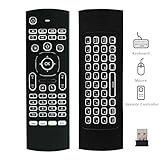
Backlit Mouse 2.4GHz Pendoo Android Remote Control Multifunction IR Learning with 6-Axis Inertia Sensors for Android TV Box, Mac OS,Linux
TICTID MXQ Plus 2G 16G Android TV Box Amlogic S912 Chipset Bluetooth 4.1 Android 6.0 TV Box Dual Band WiFi 2.4G/5G 4K Google Smart TV Box