

Rii (Dual Mode) K16 Bluetooth &RF Wireless Ultra Slim Rechargable Multimedia Backlit Office Keyboard with Touchpad Mouse for PC,Tablets, Smart TV,Android TV Box,Windows,Business Office
Product Description
Rii (Dual Mode) K16 Bluetooth &RF Wireless Ultra Slim Rechargable Multimedia Backlit Office Keyboard with Touchpad Mouse for PC,Tablets, Smart TV,Android TV Box,Windows,Business Office
- Dual mode Bluetooth & RF 2.4GHz modes. It could connect 3 Bluetooth devices and 1 RF wireless device at the same time.pleae note that we have changed the package without leather case and usb dongle.
- Durable keypad Scissor-keypad Provide a 5,000,000 keystroke life span,
- Aluminium Alloy Case Ergonomic Design with Aluminium Alloy Case
- Multi-point Touchpad Computer PC solution ,more comfortable .One finger tap means Left mouse ,Two finger tap means Right mouse
- Easy to use RF mode :Plug and Play , Bluetooth mode: Pair to play,please make sure that your device can support the bluetooth and the device is on before pair with the keyboard,you need to make sure that the keyboard have been charged fully(the red light will be off after charging fully.
Rii Dual-mode Bluetooth & 2.4GHz RF Keyboard ,with two connection
methods .Before connection ,you could read the manual and Quick Guide
Bluetooth mode
1. Mode switch button as the Blutooth / RF 2.4GHz exchange button .
2. Three Bluetooth device buttons : Bluetooth device 1,Bluetooth
device 2,Bluetooth device
3.How to pair
Step 1 Exchange into Bluetooth mode,
Step 2 Press the Bluetooth device button 1s and the Indicator will
flash fast ,that means into Bluetooth pairing mode ,
Step 3 Search the "Bluetooth 3.0 Macro Keyboard " and connect it .
RF 2.4GHz mode
1.When turn on the keyboard first with the Dongle ,the default mode is RF 2.4GHz .
2.Turn on the keyboard and inser the dongle ,it will connect automatically.
Indicators
1.Bluetooth Indicators : Bluetooth 1 ,Bluetooth 2,Bluetooth 3
2.RF 2.4GHz Indicator: White 1 Connect success ,it keeps lighting .In
low power ,it will flash fast .
3.Caps Lock Indicator: White 2
4.Charging Indicator: Red 3 In charging status ,Red keeps lighting .IWhen full ,it will off .
Multi-point Touchpad
1.One finger tap= Left mouse
2.Two fingers tap= Right mouse
3.Two fingers drag=Scroll
Systerm Requirement
*Windows (PC with USB port)
*HID compatible device
*Mac OS
Package Content:
1*Multimedia keyboard
1*Leather case
1*Wireless USB receiver
1*charging cable
1*User manual
Technical Specifications
You might also like
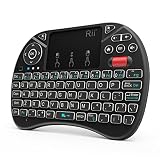
2018 Rii i8X 2.4GHz Mini Wireless Keyboard with Touchpad Mouse Combo, LED Backlit,Rechargeable Li-ion Battery-Black

Samsung Duo Plus 256GB - 300MB/s USB 3.1 Flash Drive (MUF-256DB/AM)

(Updated, Backlit) Rii i8+ 2.4GHz Mini Wireless Keyboard with Touchpad Mouse, LED Backlit, Rechargable Li-ion Battery-Black
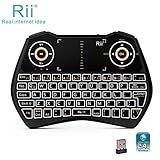
Rii i28C 3 in 1 Backlit Wireless Mini Keyboard With Touchpad And Rechargable Handheld Multi-media Keyboard For PC Laptop Raspberry PI MacOS Linux HTPC IPTV Google Smart TV Android Box XBMC Windows
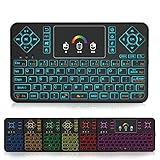
Mini Wireless TV Keyboard and Touchpad Mouse Combo with Colorful Backlit, Q9 2.4Ghz Colorful Backlit Handle Control for Android TV Box, Windows PC, HTPC, IPTV, Raspberry Pi, 360, PS3, PS4 by Okela
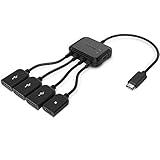
TUSITA Micro USB HUB Adaptor with Power, 3-Port Charging OTG Host Cable Cord Adapter for Fire TV Stick, Raspberry Pi 2 3 Pi Zero Android Smart Phone Tablet Samsung Galaxy HTC Sony Google LG/Linux

Rii FMKBTL1-IV1 i8+ BT Mini Wireless Bluetooth Backlight Touchpad Keyboard with Mouse for PC/Mac/Android, Black (RTi8BT-5)
NVIDIA Shield TV | 4K HDR Streaming Media Player

Nitecore TINI 380 Lumens USB Rechargeable Keychain Flashlight with Lumen Tactical Charging Cable (Black)
NVIDIA SHIELD TV Gaming Edition | 4K HDR Streaming Media Player with GeForce NOW