

Smart WiFi Light Switch,Alexa Wall Smart Switch Phone Remote Control Wireless Touch Switch Compatible with Alexa, Google Home, Timing Function, Overload Protection, No Hub Required (2 Pack)
Product Description
Smart WiFi Light Switch,Alexa Wall Smart Switch Phone Remote Control Wireless Touch Switch Compatible with Alexa, Google Home, Timing Function, Overload Protection, No Hub Required (2 Pack)
- 【Voice Control】You can use your voice to ask for Alexa to wake up your light. Just saying 'Alexa, turn on/off the light'. Perfectly Compatible with Amazon Alexa (Amazon Echo/Dot/Tap), Google Assistant for voice control.
- 【Remote Control】Controling your light or other appliances through Smart Life App from anywhere. Just need to download Tuya App at App store. It's very convenience. (Compatible with Android 4.1 or higher & iOS8 or higher)
- 【Timing Function】Set up intelligent light switch according to your Schedule, it can automatically control power eletronics on and off whenever and wherever you are.You can use this function for home security when you leave for holiday, the scheduled light makes your empty house looks like there are somebody living in your home.
- 【Extraordinary Design】Wireless control switch features an intelligent touch control, own fashionable glimmer. It will surely displaying a good sense of stylish to your house. Fit standard US switch box.
- 【Warranty Guarantee】90 days worry-free warranty, replacement or full refund (includes shipping fee) and friendly customer service.
Installation
Cut off the power supply before you begin to prevent electric shock hazard. You will find it is easily as a normal light switch.
Please make sure there is a neutral wire in your switch box, which is required for installation.
Download & Registration
Download "Smart Life" app from App Store or Google Play.
Register your accountÂ
Connect your mobile device to your 2.4GHz Wi-Fi network.
Set-up
Preparation: Device has connected with electricity, long press on/off button for 5 seconds until indicator light quickly flashes,the application already stepped into "Devices" interface
Phone has connected to WiFi router and been able to connected to Internet.
Tap the icon "+" at the top right corner of "Devices".
Make sure the indicator light is flashing quickly, then tap the related button in application.
Choose the local WiFi and enter the correct password,tap "Next".
Wait for configuring successfully, then tap "Done".
NOTE: NOT COMPATIBLE WITH ELECTRICAL BOX WHICH HAVE AN OPENING less than 3-1/8" (79mm).
Please make sure connect your mobile device to your 2.4GHz Wi-Fi network.
Specification
Power supply: Neutral + live wire
Rated Current:15A
Rated Voltage:AC110V~125V/50-60Hz
Rated Power:1 Gang (1800W) Â
Wireless Standard:IEEE802.11b/g/n
Working frequency:2.412~2.484MHz
Safety:WEP/WPA-PSK/WPA2-PSK
Encryption:WEP/AES/TKIP
Static power loss:≤0.5W
Working Temp:-20゜C~75゜C
Humidity:
Technical Specifications
You might also like
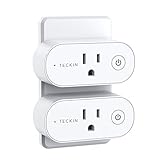
Smart Plug Wifi Outlet Compatible With Alexa, Echo, Google Home and IFTTT, Teckin Mini Smart Socket with Energy Monitoring and Timer Function, No Hub Required, 16A

Philips Hue White A19 4-Pack 60W Equivalent Dimmable LED Smart Bulb (4 A19 60W White Bulbs Compatible with Amazon Alexa Apple HomeKit and Google Assistant)

Echo Spot - Black
Echo Spot Adjustable Stand - Black

Echo Show - Black
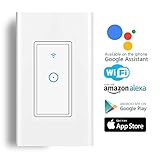
Smart Light Switch,Wi-Fi Switch In-wall Wireless Switch Compatible With Amazon Alexa,Remote Control Your Fixtures From Anywhere,Timing Function,Overload Protection,No Hub Required
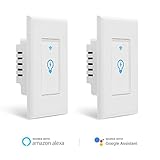
Smart Switch, Homeyard Smart Light Switch In-Wall WiFi Remote Control Wireless Single Pole Switch No Hub Required, Works with Alexa and Google Assistant (2 pack)

KYGNE Smart Light Switch, WiFi Wall Wireless Touch Switch Compatible with Amazon Alexa and Google Home, Remote Control Lights and Appliances Timing Function, Overload Protection, No Hub Required