

Sotek PGI-250 CLI-251 PGI-250XL CLI-251XL Ink Cartridges 12 Pack (2 Sets + 2 BK), Work for Pixma MX922 MG5520 MG5420 MG6320 MG7120 MX722 iP7220 iP8720 iX6820 Printers
Product Description
Sotek PGI-250 CLI-251 PGI-250XL CLI-251XL Ink Cartridges 12 Pack (2 Sets + 2 BK), Work for Pixma MX922 MG5520 MG5420 MG6320 MG7120 MX722 iP7220 iP8720 iX6820 Printers
- Sotek Advantages: ① Key Ink Materials from Germany & USA, Vivid color & Smoothly printing. ②Leaking Prevention:Thick imported film from Japan & Improved advanced technical protects the cartridges well from leaking during shipment. ③ All ink are weight one by one to ensure the enough printing page yield. ④ All cartridges are manufactured in ISO 9001 & ISO 14001 & Rohs & Reach certified facility.
- Package Contents: 4x PGI250 Black 2x Cannon Ink 251 Black 2x CLI 251 Cyan 2x CLI-251 Magenta 2x CLI-251 Yellow, Total 12 Pack (2 Sets + 2 Extra Black) (NON-OEM)
- Page Yield: PGI-250xl Ink (BK): approx 500 Pages, CLI 251 Ink XL (BK/C/M/Y): approx 665 Pages
- Warranty: All products covered by a 100% satisfaction guarantee and 2 years warranty.
- Compatilbe with: Pixma MX922,MG7520,MG7120,MG6620,MG5620,iP8720,MG6420,MG6320 and MG5420. Pls kindly note the combo packing is without Gray. Please confirm your Printer Model before placing order
Model:Sotek PGI-250XL CLI 251XL Ink Cartridges
Package Includes:
4x 250 Ink Black
2x 251 Ink Black
2x CLI-251 Cyan
2x CLI-251 Magenta
2x CLI-251 Yellow (NON-OEM)
Page Yield:
PGI-250:Approx 500 Pages
CLI-251(BK/C/M/Y): Approx 665 Pages each color
★Compatible Printers:
PIXMA MX922, PIXMA MX722
PIXMA iP7220, PIXMA iP8720
PIXMA iX6820
PIXMA MG5420, PIXMA MG5422, PIXMA MG5520, PIXMA MG5522, PIXMA MG5620, PIXMA MG6320, PIXMA MG6420, PIXMA MG6620, PIXMA MG7120, PIXMA MG7520
Use Instructions:
1: Pls keep the cartridges upside down for 3 minutes before install.
2: Pls remove the orange cover carefully before installation with some tissue in your hand in case of leakage.
3: Please install the cartridge into the correct slot.
4. If line or blurry happens, try realigning your printer heads, choose your printer clean option to clean the print head.
5. If your printer does not recognize the ink cartridge upon installation, please take it off and install again.
How to Contact Sotek?
1. Before ordering, please select "Sotek" below the Price, then click Ask a question to contact us for any question.
2. log in your Amazon Buyer Account > Click Your Account > Your Orders > If there is any questions or problems for the orders, you can check your order and click Contact Seller . We will resolve your questions or problems within 24 hours.
Technical Specifications
You might also like

Galada Cli-251xl Gy Grey Gray Ink Cartridges Compatible to Canon Pixma Mg7120 Mg7520 Ix6820 Ip8720 Printer 3-Pack
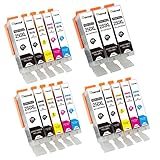
TekMall PGI250 CLI251 High Yield Replacement Ink Cartridges 3Sets+3Black (no Grey), Use for MX922 MG5520 MG6620 MG5420 MG5422 MG5522 MG5620 MG6320 MG6420 MG7120 MG7520 MX722 iP7220 iP8720 iX6820
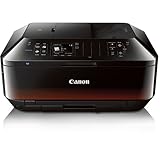
Canon Office and Business MX922 All-In-One Printer, Wireless and mobile printing

Canon PGI-250 PGBK Ink Tank, Compatible to MG5520, MG6620, MG5420, MG5422, MG5522, MG5620, MG6320, MG6420, MG7120, MG7520, MX722, MX922, iP7220, iP8720, and iX6820
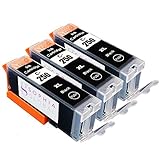
Sophia Global High Yield Compatible Ink Cartridge Replacement for Canon PGI-250XL (Pack of 3 PGI-250XL Large Black)

Canon CLI-251 GY Gray Ink

Canon PGI-250XL Pigment Black Ink, Twin Value Pack, Compatible to MG5520, MG6620, MG5420, MG5422, MG5522, MG5620, MG6320, MG6420, MG7120, MG7520, MX722, MX922, iP7220, iP8720, and iX6820
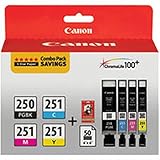
Canon PGI-250/CLI-251 Combo Pack
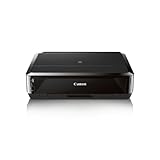
Canon Office Products IP7220 Wireless Color Photo Printer