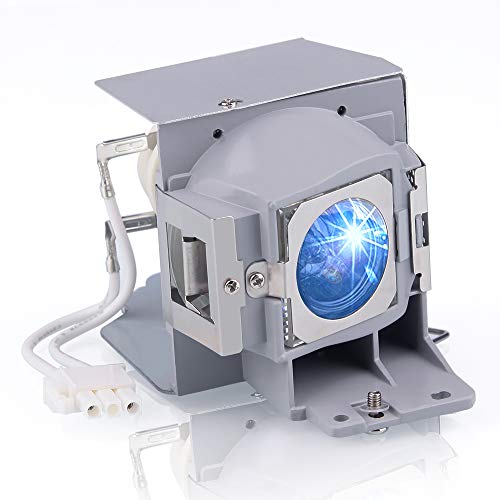
SunnyPro RLC-078 Projector Lamp with Housing,Compatible for Viewsonic PJD5132 PJD5134



Description
- Compatible with VIEWSONIC PJD5132 PJD5134
- We use A++ quality wicks that provide higher brightness and better color contrast with a life span of up to 3000-3500 hours.
- Installing the projector light is very easy and will only take you a few minutes.
- All lamps are tested at the manufacturer before leaving the facility
- We offer up to 200 days after-sales guarantee, any problem with the projector lamp, you can contact us for exchange or refund.
Model Number:RLC-078 Lamp
Application:Commercial,Engineering,Indoor,Professional,Sailing
Wattage:190W
Type:Replacement Projector Lamp with Housing
Average Life (hrs):2000
Place of Origin: Shenzhen, China (Mainland)
Be used in projectors: ForVIEWSONIC PJD5132/ PJD5134/ PJD5232L/PJD5234L
9 steps to replace the projector lamp
1.Gather the necessary tools, screwdriver.
2.Turn off TV or Projector.
3.Remove Lamp Compartment Door.
4.Remove Lamp Assembly. Carefully pull out the lamp assembly and disconnect any power cords that may still be connected to the lamp assembly. Put it aside and don't get it confused with your new lamp!
5.Clean Lamp Compartment. Dust gets everywhere and while you have the projector open, use a soft cloth or micro-fiber cleaning cloth to remove any loose dust from the lamp compartment.
6.Insert New Lamp Assembly. Carefully reconnect any power cables to the new lamp if present and slide the new lamp into the compartment in the same orientation that the original lamp came out.
7.Replace Lamp Compartment Door. Set the lamp compartment door back into place and securely screw in the door without screwing it in too tightly.
8.Reset the lamp timer. Instructions on how to do this should be covered by the instruction manual.
9.You're Done! Enjoy your projector or TV again and make sure you have a backup lamp handy in case the lights go out unexpectedly.
Shipping & Delivery
Your order is shipped from the USA and delivered to your door in South Africa in 10–20 working days. All items are fully tracked.
Returns & Exchanges
We offer a 30-day return window. If something isn't right, contact our support team and we'll make it right.