

True Wireless Earbuds,Bluetooth Mini in Ear Headphones Kelodo Running Headset Built-in Mic Hands-free Stereo Earphones with Charging Case for Android and iPhone White
Product Description
True Wireless Earbuds,Bluetooth Mini in Ear Headphones Kelodo Running Headset Built-in Mic Hands-free Stereo Earphones with Charging Case for Android and iPhone White
- How to pair them? Keeping press the buttons of both earbuds until the blue/red light twinkle alternately, select any one earbud to click the button TWICE, wait 3-5 seconds the another earbud's light off, the two earbuds paring successful. Turn on the Bluetooth of your device, and then connect it is Ok.
- TRUE WIRELESS EARBUDS: True wireless in ear earbuds adopt Bluetooth V4.1, no more noise and sweatproof Mini Earphones built in 60mAh battery supports 2-2.5 hours music/talking time. Standby 240 hours
- POWERFUL CHARGING CASE: Build in 400mAh battery like a convenient charging bank, full charge case can provide 3 times charging for the earbuds after only 1.5 hours charging time
- ERGONOMIC DESIGN: Comfortable and Secure in-ear Headphones, soft material to protect ears, no pain, easily wearable all day, Weighs only 0.13 oz, so you can barely feel it on your ear. Best for workout, business, office, home, travel, leisure and sports
- HIGH QUALITY SOUND: Twins earbuds adopt superior dynamic microphone that provides the high- quality crystal clear and natural voice while speaking and makes your voice heard clearly, like being face to face. DSP digital noise cancelling and stable Bluetooth signal
Frequently Q&A Truly Wireless Bluetooth Earbuds:
Q:
1.How to Pairing the Left and Right Earbud?
A:
1.Take out the true wireless TWS earbuds from the charging case.
2.Keep pressing the multi-function buttons for 5-7 seconds until the voice prompt "PAIRING" comes out from both earbuds and the indicator lights keep blinking.
3.Press any one earbud's multi-function button twice to choose the master earbud, which supports to answer/end/reject/redial the last call. Voice prompt "Searching for slave--pairing successful--source connected--pairing--left channel (Put it in left ear)--right channel (Put it in right ear)"
4.The indicator light of the master earbud keeps blinking but the slave one goes off.
Note: The master earbud is default to wear in right ear
Q:
2. PAIR to PHONE:
A:
1.Enter your phone or computer's pairing mode.
for iPhone: Setting>Bluetooth>on;
for Android: Setting>Wireless & Networks Bluetooth on>Scan for devices
2.Locate the top one TWS-S570 in the list of available Bluetooth devices on your phone, computer or tablet.
3.Your device should now be connected, voice prompt "source connected"
Specification:
1.Version: Bluetooth V4.1+EDR
2.Standby Time: 240 hours
3.Play/Call Time: 90-120 minutes
4.Charge Time for Earbuds: 1.5-2 hours
5.Charge Time for Rechargeable Box: 1.5-2 hours
6.Charging Box Battery: 400mAh
7.Full Charge Box Provides Charging Times for earbuds: 3 times
What you get
2 x True Wireless Earbuds [left & right]
2 x Ear Caps [left & right]
1 x Micro USB Charge Cable
1 x 400 mAh Charging Box
1 x User Manual
1 x Gift Box
Technical Specifications
You might also like

Bluetooth Earbuds,True Wireless Stereo Headphones Kelodo w/Microphone Earphones for Call Noise Cancelling Mini in Ear Magnetic Headset with Long Battery Charging Case for Running Sports White
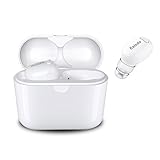
Bluetooth Earbuds, Kelodo S570 True Wireless Sport Headphones, Stereo in-Ear Earphones w/Mic, Sweat proof, Noise Cancelling Headsets with 8 Hrs Charging Case

Harman Kardon Adapt HD Audio Wireless Adaptor with Bluetooth (Black)
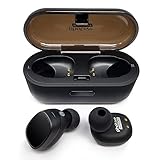
Photive TWS-01 True Wireless Earbuds Stereo Bluetooth Headphones with Charging Case. Premium Sound - Secure Fit - Easy to Pair

Enjoybot Bluetooth Beanie Wireless Knit Winter Hats Cap with Built-in Stereo Speakers and Microphone for Outdoor Sports (Unisex, 002-Charcoal)

Fairy Lights, DecorNova 120 LED 39.4 Feet Copper Wire Firefly String Lights with 3V Adapter and Remote for Holiday Parties Bedroom Wedding Christmas Decorations, Multi-Color
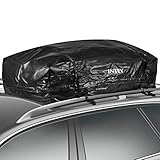
INTEY Cargo Bag Rooftop Cargo Carrier Waterproof Car Roof Storage 15 Cubic Feet for Car, Van and SUV