
![USB 3.0 to HDMI HD 1080P Video Convertor with Audio Output Multiple Monitors for Laptop HDTV TV PC with Windows XP / 7/8 / 8.1/10 [ NO MAC & VISTA ]](https://images-na.ssl-images-amazon.com/images/I/41svzxQwLzL.jpg)
USB 3.0 to HDMI HD 1080P Video Convertor with Audio Output Multiple Monitors for Laptop HDTV TV PC with Windows XP / 7/8 / 8.1/10 [ NO MAC & VISTA ]
Product Description
USB 3.0 to HDMI HD 1080P Video Convertor with Audio Output Multiple Monitors for Laptop HDTV TV PC with Windows XP / 7/8 / 8.1/10 [ NO MAC & VISTA ]
- 【USB to HDMI Convertor】 This USB to HDMI adapter can connect a computer via USB interface to an HDTV, monitor, or projector with HDMI interface. It will deliver high-definition audio video sources in computer to your HDTV or monitor. --- Note: it's only compatiable with Windows 7, Windows 8, Windows 10.
- 【High-Definition Graphic Images】Leveraging the high-bandwidth (5 Gbps) SuperSpeed USB 3.0 interface, this USB 3.0 to HDMI offer a high-definition graphic images to your HDTV or monitors at resolution up to 1920x1080, so the external video displaying problem of the computer will be solved easily.
- 【Super Speed】USB 3.0 Interface and backward compatible with USB 2.0. Support for hot-pluggable devices(Only USB 3.0 connector can achieve HD 1080P, if you are usb 2.0 port, it just can be 800 x 600)
- 【 Simple Operation 】 Please install it's internal driver directly or manually download the driver from our official website. Plug it into your computer, then open the USB device folder and double click to install the driver.
- 【Portable】This USB3.0 adapter is lightweight to carry in your laptop bag when traveling. It's great for connecting your computer PC to a projector to mirror or extend your display desktop when you are in a classroom or a conference room for showing a presentation.
USB 3.0 to HDMI 1080P Converter Cable for Windows 10/8/7 computers ONLY
INSTRUCTIONS
â‘ Pls try to install its internal driver directly. After plug it into your computer, you will find a new USB device folder in your computer, then double clicks to install the driver.
â‘¡ If you can't get it work, Please manual download the latest driver through our official website [ search for Download - Hoplaza at google ], then install the driver and RESTART your computer.
â‘¢ It's better to turn off anti-virus software and low down the firewall level before install the driver. You can turn on them after installation. Once everything is ready, it will takes about 6-10 seconds to mirroring from PC to TV.
â‘£ If found it can't convert picture well, pls check if you plug the adapter on a USB3.0 port of your computer or not. And check the HDMI extend cable version you using, the HDMI version at least be V1.3 or higher, otherwise it can't support high resolution data transmission.
⑤ If your computer have USB 2.0 port only, DON'T RECOMMEND TO BUY. It also support USB2.0 port, but for USB2.0 port the max resolution support 800*600 only.
FEATURES:
* Support for USB 3.0 input and HDMI output
* Computer connection: USB 3.0 480Mbps of bandwidth
* USB3.0 maximum resolution of 1920x1080, including 1600x1200
* HDMI output port supports 1.65Gbps / 165MHz / 24bit Bandwidth
* USB video support Primary, Extended, Mirror
* ONLY Support Windows 10, Windows 8, Windows 7 computers
Technical Specifications
You might also like
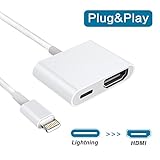
Lightning to HDMI, Lightning HDMI Cable Adapter, Lightning 1080P HDMI Video Output Home Theater Adapter for iPhone/iPad, 4K HDMI Sync Screen Converter for HDTV/Projector/Monitor, Must Supply Power

USB to HDMI Adapter, USB 3.0 to HDMI 1080P Video Graphics Cable Converter with Audio Output for Multiple Monitors, Compatible with Windows XP/7/8/8.1/10 [ NO MAC & VISTA ]

USB to HDMI cable, Yeworth 0.5m USB 2.0 Male to HDMI Male Charger Cable Splitter Adapter

Plugable USB 3.0 to HDMI Video Graphics Adapter with Audio for Multiple Monitors up to 2560x1440 (Supports Windows 10, 8.1, 7)

Logitech MK520 Wireless Keyboard and Mouse Combo — Keyboard and Mouse, Long Battery Life, Secure 2.4GHz Connectivity
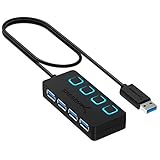
Sabrent 4-Port USB 3.0 Hub with Individual Power Switches and LEDs (HB-UM43)
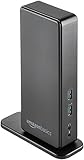
AmazonBasics USB 3.0 Universal Laptop Docking Station
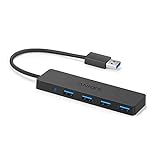
Anker 4-Port USB 3.0 Ultra Slim Data Hub for Macbook, Mac Pro/mini, iMac, Surface Pro, XPS, Notebook PC, USB Flash Drives, Mobile HDD, and More