

Boreguse USB Cable, USB to RJ45 Console
Product Description
Boreguse USB Cable, USB to RJ45 Console
- 【USB Console Cable】: This Console Cable
- 【Wide Compatible】: This USB to Rj45 Cable
- 【FT232RL Chip】: FTDI232RL+ZT213LEEA. The console cable a
- 【Application】: USB to RJ45, using RS-232 specification,
- 【Simple Installation】: Replaces RS232 (DB-25/DB-9) Serial port perfectly
Boreguse USB Console Cable-6ft(1.8m)
This Console Cable is Full support for Windows, MAC and Linux, no CD needed because the drivers are part of the OS distribution.
If the system can not Automatic installation the driver, you need to download and install from the FTDI website on , http://www.ftdichip.com/FTDrivers.htm
Installation and operation method
1. The USB port connect to the computer, RJ45 port need to connect configure the switch or router
2. PC port found new hardware, follow the prompts
3. If you need to install the driver, you can download the driver, and directly update the program.
4. PC port configuration, according to the router or switch manual to select the port, the general use of
COM1 can (right-Properties-Device Manager-Port-select the new COM port-select the port-hold-re drive the computer)
5. If the system can not Automatic installation the driver,you can download from the FTDI website on
and you will need to install a driver, http://www.ftdichip.com/FTDrivers.htm.
Above windows7 system will install it automatically.
Bellow Windows7 system you will need to download and install a driver on line, http://www.ftdichip.com/FTDrivers.htm.
Operating system support
Windows 10
Windows 8.1
Windows 8.1 x64
Windows 8
Windows 8 x64
Windows Server2012
Windows Server 2008 R2
Windows 7
Windows 7 x64
Windows Server 2008
Windows Server 2008 x64
Windows Vista
Windows Vista x64
Windows Server 2003
Windows Server 2003 x64
Windows XP
Windows XP x64
Windows ME
Windows 98
Linux
Mac OS X
Mac OS 9
Mac OS 8
Windows CE.NET (Version 4.2 and greater)
Android
Windows RT
Package included
1* FTDI USB to RJ45 cable
Support Policy:
1 Year
Technical Specifications
You might also like
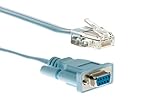
Cisco Compatible 72-3383-01 DB9 to RJ45 Console Cable / CAB-CONSOLE-RJ45

FTDI USB-C to RJ45 for Cisco Console Cable Windows 8, 7, Vista MAC Linux RS232
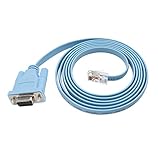
Cisco Console Cable 9-pin DB9 Female Serial RS232 Port to RJ45 Male Cat5 Ethernet LAN Rollover Console Cable Switch Cable Cisco (DB9P to RJ45)

Green-utech 12ft USB Rs232 - Rj45 Adapter for Cisco Router Console Cable

TRENDnet USB to Serial Converter, Connect a RS-232 Serial Device to a USB 2.0 Port, Easy Installation, Universal Plug & Play, TU-S9
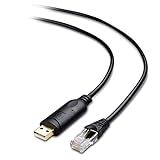
Cable Matters USB to RJ45 Console Cable (Compatible with Cisco Console Cable, Rollover Cable) with FTDI 6 Feet
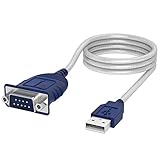
Sabrent USB 2.0 to Serial (9-Pin) DB-9 RS-232 Converter Cable, Prolific Chipset, Hexnuts, [Windows 10/8.1/8/7/VISTA/XP, Mac OS X 10.6 and Above] 6-Feet (CB-9P6F)

USB Console Cable, BENFEI 6 ft USB to RJ45 Cable Essential Accesory Compatible with Cisco, NETGEAR, Ubiquity, LINKSYS, TP-Link Routers/Switches for Laptops in Windows, Mac, Linux - FTDI Chip

Cable Matters Rack or Wall Mount 24-Port Cat6, Cat 6 Keystone Patch Panel (Blank Patch Panel)