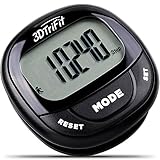
Walking Pedometer 3D Carabiner Activity Fitness Tracker with 7-Day Memory, Slient Digital Pedometer with Step, Calorie & Distance Counter for Men & Women (black)
Sold Out / Out of Stock
This item may be available in a different size, colour, scent, version or platform:
Walking Pedometer 3D Carabiner Activity Fitness Tracker with 7-Day Memory, Slient Digital Pedometer with Step, Calorie & Distance Counter for Men & Women (black)
Calculates your daily steps, distance walked, calories burnt, average speed, activity time
The pedometer itself is light and it comes with strap and hook, You can clip on the waist, belt, backpack, anywhere you want! Super easy to carry, and never fall off.
Memory function- 7 days of Steps/Distance/Calorie history record tracking
SMART ACTIVITY TRACKER that makes it easy to achieve your exercise goals by tracking your steps, distance traveled in Miles or Km, calories burned, speed / pace and activity time each day.
Error Correct Function : 10 steps error correction feature with LCD display.
what you get : 1 x Pedometer 1 x User Manual (English) 1 lanyard
attention please: 1.Accelerometer step counting function is intended for continuous walking exrecise sessions. Intermittent step counts may not be recorded accurately. 2.
An accelerometer is an instrument used to measure acceleration and may count vehicle movement as steps.HOW TO SETTING this Pedometer
How to set personal date, clock,target and measurement selection? From the STEP screen, press and hold SET until display changes to setup function. 1, select 12/24 Hour time format display using the MODE and/or RESET buttons 2,Press SET to input the Hour. Use Mode to decrease and RESET to increase value. 3,Press SET to input the Minute. Use Mode to decrease and RESET to increase value. 4,Press SET to select IN(imperial) or CM(Metric) measurement. Use MODE to change. 5,Press SET to input the STRIDE. Use MODE to decrease and RESET to increase value. See chart below to determine stride distance. 6,Press SET to input Weight. Use MODE to decrease and RESET to increase value. 7,Press SET to input STEP TARGET. Use Mode to decrease and RESET to increase value from 100-99,000in intervals of 100 or 1000 steps. STEP SETTING You can set your STEP TARGET. This is the amount of steps you would like to walk each day. The STEP TARGET setting is done inside the setting mode. Note: for STEP TARGET setting under 1000 steps, the steps adjustment are at 100 steps interval. Function of memory This unit can store up to 7 days of date for number of steps walked. The current day date is automatically stored in memory when the clock time reaches 12:00an midnight. The display will reset to '0' for the new day. WARNING: Changing current clock time may affect the memory date stored in the pedometer Press the 'MEMORY' button. The step date from yesterday is shown: "1 DAY AGO" is played.