
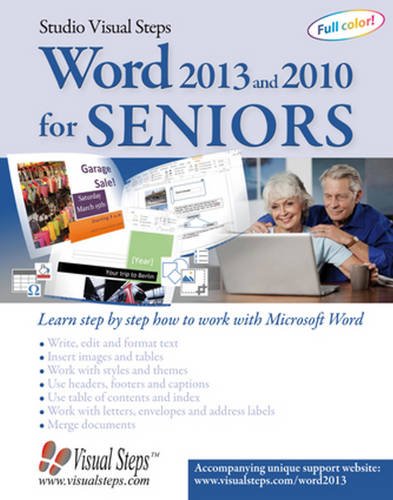
Word 2013 and 2010 for Seniors: Learn Step by Step How to Work with Microsoft Word (Computer Books for Seniors series)
Product ID: 9059051106
Condition: New
Payflex: Pay in 4 interest-free payments of R377.75. Read the FAQ
R 1,511
includes Duties & VAT
Delivery: 10-20 working days
Ships from USA warehouse.
Secure Transaction
VISA
Mastercard
payflex
ozow
Product Description
Word 2013 and 2010 for Seniors: Learn Step by Step How to Work with Microsoft Word (Computer Books for Seniors series)
Also suitable for Word 2016. More information can be found on the website accompanying the book.
Microsoft Word is a popular and user-friendly word processing program. This book teaches you the basics of working with documents, from creating and editing documents to formatting text and working with styles and themes. You will also learn some of the more advanced features such as working with an index and merging documents. This fully illustrated book features step-by-step instructions that will let you learn Word at your own pace. This is a practical book for the office, in the class room or at home!
Please note: In order to work with this book, you need to own Word 2016, 2013 or Word 2010 and have it already installed on your computer or have a subscription to Office 365, the online version.
Learn how to:
Microsoft Word 2016, 2013 and 2010
Windows 10, 8.1, 7 and Vista
Microsoft Word is a popular and user-friendly word processing program. This book teaches you the basics of working with documents, from creating and editing documents to formatting text and working with styles and themes. You will also learn some of the more advanced features such as working with an index and merging documents. This fully illustrated book features step-by-step instructions that will let you learn Word at your own pace. This is a practical book for the office, in the class room or at home!
Please note: In order to work with this book, you need to own Word 2016, 2013 or Word 2010 and have it already installed on your computer or have a subscription to Office 365, the online version.
Learn how to:
- Write, edit and format text
- Insert images and tables
- Work with styles and themes
- Add headers, footers and captions
- Add a table of contents and an index
- Work with letters, envelopes and address labels
- Merge documents
Microsoft Word 2016, 2013 and 2010
Windows 10, 8.1, 7 and Vista
Technical Specifications
Country
USA
Author
Studio Visual Steps
Binding
Paperback
Brand
Studio Visual Steps (COR)
EAN
9789059051102
ISBN
9059051106
IsEligibleForTradeIn
1
Label
Visual Steps Publishing
Manufacturer
Visual Steps Publishing
NumberOfItems
1
NumberOfPages
312
PublicationDate
2014-05-30
Publisher
Visual Steps Publishing
Studio
Visual Steps Publishing
You might also like

Excel 2013 and 2010 for Seniors: Learn Step by Step How to Work with Microsoft Excel (Computer Books for Seniors series)

Microsoft Word 2013 Introduction Quick Reference Guide (Cheat Sheet of Instructions, Tips & Shortcuts - Laminated Card)

Windows 10 for Seniors: Get Started with Windows 10 (Computer Books for Seniors series)

Windows 7 for Seniors: For Senior Citizens Who Want to Start Using Computers (Computer Books for Seniors series)

Microsoft Word 2010 Introduction Quick Reference Guide (Cheat Sheet of Instructions, Tips & Shortcuts - Laminated Card)