
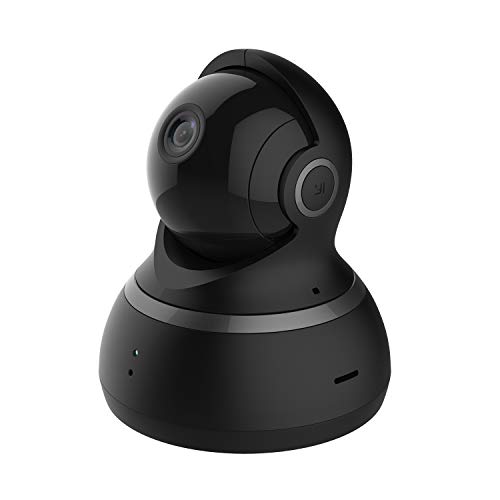
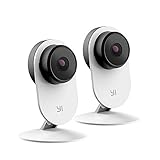
YI Pet Security Camera, 360-degree Smart Indoor Dog Cat Dome IP Cam with Night Vision, 2-Way Audio, Motion Detection, Phone App, Compatible with Alexa and Google-Black
Product Description
YI Pet Security Camera, 360-degree Smart Indoor Dog Cat Dome IP Cam with Night Vision, 2-Way Audio, Motion Detection, Phone App, Compatible with Alexa and Google-Black
- This refurbished product is tested and certified to work properly. The product will have minor blemishes and/or light scratches. The refurbishing process includes functionality testing, basic cleaning, inspection, and repackaging. The product ships with all relevant accessories, and may arrive in a generic box.
Setting Up Your Camera With YI Home App
1.Install YI Home App and create a YI Home Account
2.Turn your camera on and select the '+' icon in YI Home App to add your camera
3.Select your Wi-Fi network and enter your Wi-Fi password, then select Connect to Wi-Fi
4.Scan the QR Code shown on the app, then select Next once the QR Code has scanned
5.Select Save, then select Start using to finish pairing
6.If connection failed, please push the Reset button and try again
WiFi Settings
1.YI Home cameras will need to connect to a 2.4GHz band network. 5GHz WiFi band is not supported
2.Turning on the location service on the phone if you encounter Unknown SSID issue
3.Encryption mode must be set to WPA/WPA2 (mixed mode) or WPA2
4.Your Wi-Fi password must be 8-20 characters in length
If you have any other problem, please contact us via support@yitechnology.com.
Technical Specifications
You might also like

YI Outdoor Security Camera 2pc, 1080P 2.4G Wi-Fi IP Waterproof Night Vision Surveillance System with 24/7 Emergency Response, Motion Detection, Activity Alert, Deterrent Alarm

Wall Mount for YI Dome Camera and YI Cloud Home Camera, 360 Degree Adjustable Security Bracket Holder for YI Cam (Camera Not Included) (White)
YI Outdoor Security Camera, 1080P 2.4G Wireless IP Waterproof Night Vision Surveillance System with 24/7 Emergency Response, Motion Detection, Activity Alert, Deterrent Alarm - iOS, Android App
YI 1080p Home Camera, Indoor 2.4G IP Security Surveillance System with 24/7 Emergency Response, Night Vision for Home/Office/Baby/Nanny/Pet Monitor with iOS, Android App - Cloud Service Available

YI Smart Dome Security Camera X, AI-Powered 1080p WiFi IP Home Surveillance System with 24/7 Emergency Response, Human Detection, Sound Analytics, Image Retrieval, Time Lapse - Cloud Service Available

YI 4pc Home Camera, 1080p Wi-Fi IP Security Surveillance Smart System with 24/7 Emergency Response, Night Vision, Baby Monitor on iOS, Android App - Cloud Service Available
YI Cloud Home Camera, 1080P HD Wireless IP Security Camera Pan/Tilt/Zoom Indoor Surveillance System with Night Vision, Motion Detection and Baby Crying Detection, Remote Monitor with iOS, Android App
YI 2pc Smart Security Camera 3, AI-Powered 1080p Home Camera System IP Cam with 24/7 Emergency Response, Human Detection, Sound Analystics, Night Vision, 2.4G Wi-Fi, App for Nanny Monitor