

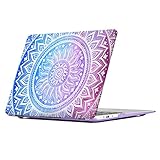
iCasso Macbook Air 11 Inch Case Rubber Coated Glossy Hard Shell Plastic Protective Cover For Macbook Air 11 inch Model A1370/A1465 With Keyboard Cover -Pink&White Medallion

Product Description
iCasso Macbook Air 11 Inch Case Rubber Coated Glossy Hard Shell Plastic Protective Cover For Macbook Air 11 inch Model A1370/A1465 With Keyboard Cover -Pink&White Medallion
- Only fit For Macbook Air 11inch Model A1370/A1465.Please check your Macbook Model number before you purchase it .
- Two-piece, snap-on case includes four support feet,additional four foot pad replacement.
- NO CUT OUT design, The apple logo will shine through Faint light when the laptop is on.Stylish design, decorate and protect your macbook.
- Fully vented for safe heat disbursement, fully access to all buttons and features. Snap on design, easy on easy off. Plug your charger, cable or headset without removing the case.
- This product is designed and sold exclusively by iCasso. Only buy from iCasso to get genuine iCasso® products with manufacturer warranty and superb customer service.
iCasso Ultra Slim Macbook Durable Hard Shell Case With Keyboard Cover
Macbook Case SpecificationsÂ
-SIZE: Prefect Fit For Macbook Air 11'' Model A1370/A1465
-Case: Dimension: 12 x 7.7 x 0.8 inch
-Including :Macbook case and silicone keyboard Cover with four Rubber feet.
-Material: Polycarbonate Hard Plastic CaseÂ
Macbook Case Features :
Â
- High quality lightweight case ,protect your Macbook from bumps and scratches
-Precise cut outs allow full access to all ports and functions, plug your charger, cable or headset without removing the caseÂ
-Safe Heat dissipation/disbursement,Designed with ventilation holes at the bottom piece part of the cover, ensure your macbook in a safe condition and never get megathermal
-No Cut Out Logo design,Apple Logo Will shine Faint visible through the case when your Macbook is on and screen brightness is up
-Lightweight and small dimensions,you'll feel your Macbook more natural in hand
InstallationÂ
1. Start with the top cover of the case. Clip the 2 clips at the back of the MacBook first.Â
2. Pull the case slightly to the front until the 3 clips "clicking".Â
3. Turn around the MacBook. Clip the bottom cover on the back of the MacBook first.Â
4. Pull the case slightly to the front until the clips "clicking".
Technical Specifications
You might also like
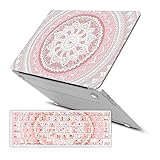
iCasso Macbook Air 13 inch Rubber Coated Soft Touch Hard Shell Protective Case Cover For Apple Laptop Macbook Air 13 Inch Model A1369/A1466 With Keyboard Cover- Pink&White Medallion
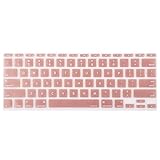
Mosiso Protective Keyboard Cover Skin for MacBook Air 11 Inch (Models: A1370 and A1465), Rose Gold

iCasso Macbook Air 11 inch Case Rubber Coated Glossy Hard Shell Plastic Protective Cover For Macbook Air 11 inch Model A1370/A1465 With Keyboard Cover (Blue&White Medallion)
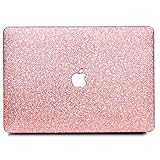
BELK-MacBook Air 11" Case,2 In 1 Bling Crystal Smooth Ultra-Slim Light Weight PC Hard Case With Keyboard Cover For MacBook Air 11.6 Inch(Model:A1465/A1370) - Shining Rose Golden

Lacdo 11 - 12 Inch Laptop Sleeve Case for Apple MacBook Air 11.6-inch | New Macbook 12 inch | Surface Pro 4 3 | Acer Asus Dell HP Toshiba Lenovo Chromebook | Ultrabook Notebook Tablet bag, Pink
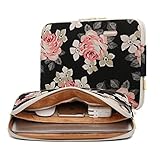
KAYOND Rose Pattern 11 inch Canvas laptop sleeve with pocket 11 inch 11.6 inch laptop case macbook air 11 case macbook 12 sleeve
iCasso Macbook Air 11 Inch Case Art Printing Matte Hard Shell Plastic Protective Case For Macbook Air 11 Inch Model A1370/A1465 (Purple Medallion)

UGG Women's Bailey Bow Tall Chestnut 8 B - Medium