

iPhone 7 Headphones Adapter with Mic, iPhone 7 Adapter, Support Call & Listen & Charge, Lightning to 3.5mm Headphone Jack Adapter for iPhone 7, iPhone 7Plus (Need BLUETOOTH Connection) - Black
Product Description
iPhone 7 Headphones Adapter with Mic, iPhone 7 Adapter, Support Call & Listen & Charge, Lightning to 3.5mm Headphone Jack Adapter for iPhone 7, iPhone 7Plus (Need BLUETOOTH Connection) - Black
- BLUETOOTH has to be TURNED ON for AUX to work FULL SUPPORT CALL via BLUETOOTH: iPhone 7 adapter with Microphone function, support phone call, allows you to answer the phone while charging using the latest BLUETOOTH technology
- SHACKLE iPhone 7 headphone adapter with mic is compatible with call or music and charge at the same time
- HIGH QUALITY- the adapter is manufactured with premium aluminum alloy, efficient transmission, signal stability.
- TOUGH AND DURABLE lightning cable provides maximum protection against tear and wear
- FAST and SMOOTH charging and audio transmission, currently one of the best on the market
iPhone 7 Headphones Adapter with Mic is Light, Robust and Discreet, Provides Perfect Connection!
Features:
1. Support Microphone, phone call, users can enjoy the fun of answering the phone call while charging.
2. Perfect Design for iPhone 7 and iPhone 7 Plus. Due to iPhone 7 design without 3.5mm AUX, most of the headphone cannot be used for iPhone 7 / 7 Plus. This product perfect solved this problem. Enjoy music with your fond headphone!
3. Listening and Charging Same Time: It supports simultaneous charging and audio output, so users can enjoy the fun of listening to music while charging.
4. High Fidelity Sound-Compatible for iPhone product which lightning jack for 3.5mm audio earphone.
5. EASY TO CARRY: Easy to put it in your bag / pocket. Enjoy music with your favorite headphone any time.
How to use:
1. Connect the adapter with your phone
2. Open your phone Bluetooth search and connect with Adapter Bluetooth which is named "I7"
3. Use 3.5mm lightning headphones to connect with adapter 3.5mm audio jack, then can listen to music, make and answer calls
4. Press earphone PAUSE key one time to control music Player and Pause
5. When there is a phone call coming, Press earphone PAUSE key one time to answers calls, Press earphone PAUSE key twice to make a call that you last called
6. Connect Phone with Adapter lightning port to charge your phone
Packaging Included:
•1 x iPhone 7 Headphones Adapter with Mic by BULLEM
Technical Specifications
You might also like

DR JK- Heel Cups and Heel Grips Kit, Heel Pads for women and Men, Heel Inserts, Plantar Fasciitis Inserts, Heel Spur, Foot Pads, Heel Support, Heel Care for Foot Pain Relief.
Bluetooth Adapter, Amotus USB Bluetooth 4.0 EDR Wireless Micro Adapter [Low Energy] Silver Plate USB Dongle for PC Laptop with Windows 10 8.1 8 7 Vista
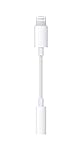
Apple Lightning to 3.5mm Headphone Jack Adapter

Premium Stainless Steel & Rosewood Waiters Corkscrew: All-in-one Wine Opener, Foil Cutter & Bottle Opener By HiCoup Kitchenware

BEST VITAMIN C Brightening and Anti Aging Serum. Fade Dark Spots, Acne Scars, Reduce the Look of Fine Lines and Wrinkles. Organic and Cruelty Free. 1 oz.