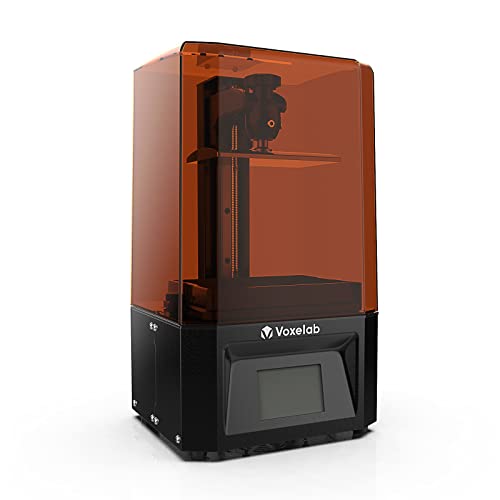

Voxelab Proxima 4K Resin 3D Printer - 25mm/h High-Speed Printing, 4K LCD Monochrome Screen 6", Touchscreen, Linear Guide Rail, 130x76x155mm - Create Stunning 4K Prints Effortlessly!
Sold Out / Out of Stock
Please be aware orders placed now will not arrive in time for Christmas, please check delivery times.
This item may be available in a different size, colour, scent, version or platform:
Voxelab Proxima 4K Resin 3D Printer - 25mm/h High-Speed Printing, 4K LCD Monochrome Screen 6", Touchscreen, Linear Guide Rail, 130x76x155mm - Create Stunning 4K Prints Effortlessly!
Create Stunning 4K Prints: With its 4K Monochrome LCD Screen, VoxelPrint slicer software, and high-speed printing capabilities, this printer empowers you to bring your imagination to life with stunning 4K resolution prints that are sure to leave a lasting impression.
Ultra-Precise Detail: Thanks to its integrated high-precision linear guide rails n and full grayscale anti-aliasing, this printer ensures unmatched precision in every print, even at 4K resolution (3840x2400), for breathtakingly detailed results.
User-Friendly Operation: Featuring a 3.5" touchable color screen and assisted bed leveling system, the Voxelab 4K Resin 3D Printer offers a seamless and intuitive printing experience, making it easy for both beginners and experts alike.
Compact and Powerful: With a printing volume of 130x76x155mm, the Voxelab 4K Resin 3D Printer offers a compact footprint while still delivering impressive printing capabilities, making it perfect for both small and large projects.
High Speed: The print speed is 25mm/h, which is relatively high for a resin 3D printer. Consumers expect printers to offer efficient printing speeds for faster completion of print jobs.
Usage Suggestions 1: Before using the printer, please read the user manual thoroughly to ensure you understand the basic operation of the resin 3D printer. The first step is to level the machine, and you can find instructional videos on YouTube or the official website.
Usage Suggestions 2: Use slicing software to convert the 3D model into sliced layers and save it in a recognizable format such as fdg before transferring it to a USB flash drive. It is recommended to set the exposure time for the base layer to 45 seconds to ensure a stable foundation, and set the exposure time for other model layers to 3.5 seconds for better printing results.