

IKONG 3 Colors 951 Compatible Toner Cartridge Replacement for HP 951 XL Ink Cartridge Compatible with HP Officejet Pro 8600 8610 8620 8100 8630 8660 8640 8615 8625 (1 Cyan 1 Magenta 1 Yellow)
Product Description
IKONG 3 Colors 951 Compatible Toner Cartridge Replacement for HP 951 XL Ink Cartridge Compatible with HP Officejet Pro 8600 8610 8620 8100 8630 8660 8640 8615 8625 (1 Cyan 1 Magenta 1 Yellow)
- Upgrade Firmware Support: Click "IKONG" below the price,then enter "Ask a question" on the Top right to the next page to contact us,with any damaged cartridge emails replied in less than 24 hours 7/7
- Contents: HP 951XL Compatible Ink Cartridge Replacement ( 3 Color ) Page Yield(approx): 1,500
- Printer Compatibility: HP OfficeJet Pro 8600, 8610, 8620, 8630, 8640, 8615, 8625, 251DW, and 271DW printers
- ATTN: Any errors like"damaged cartridges",an updated firmware will fix the self-induced problem.Please download the latest firmware on HP\'s official website based on your printer model,and only by updating the firmware can continue to use our cartridges.'''
- 951 XL High-capacity ink cartridges enjoy your $AVING$ as well as the times to replace new cartrdges.100% No Hassle and Money Back Guarantee.
2.Ink Volume:Cyan/magenta/Yellow 30ML per color.
3.Printer Compatibility: OfficeJet Pro 8600, 8610, 8620, 8630, 8640, 8615, 8625, 251DW, and 271DW printers.
User Manuel:
1.Please rip off the color tape before you install.(With some tissue in your hand for any case of leakiness)
2.If your printer appears an alert likes "Non-Genuine" ,press "Proceed" / "Continue" / "Accept"or "OK" to ignore the prompt. Additional alerts may display when you print or copy - dismiss the alerts accordingly.
3.When you receive an error "Cartridge cannot be recognized" or "Replace Cartridge" , please remove the affected cartridge and gently wipe the chip with a lint free cloth or rubber eraser. If issue persists, turn off printer and unplug the power source for 30 seconds then try again.
You're invited to contact us firstly if any problems occur.We always offer help here.
Technical Specifications
You might also like

LD Remanufactured Replacement for Hewlett Packard CN048AN 951XL / 951 Yellow HY Cartridge for use in HP OfficeJet Pro 251dw, 276dw MFP, 8100, 8600, 8600 +, 8600 Premium, 8610, 8620, 8630

IKONG 950 Ink Compatible Ink Cartridge Replacement for HP 950XL 951XL Ink Works with HP Officejet Pro 8600 8610 8100 8620 8630 8640 8660 8615 8625 251DW 271DW 276DW
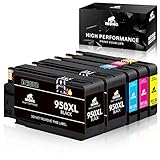
IKONG 8610 950 951 New Updated Compatible Ink Cartridge Replacement for HP 950XL 951XL Ink Works with HP OfficeJet Pro 8610 8600 8620 8630 8100 8625 8615 8660 8640 251DW 276DW 271DW

HP 950XL | CN045AN | Ink Cartridge | Black | for Officejet Pro 251, 276, 8100, 8600, 8610, 8620, 8625, 8630
Hammermill Paper, Copy Paper, 8.5 x 11 Paper, Letter Size, 20lb Paper, 92 Bright, 8 Ream Case / 4,000 Sheets (113640C) Acid Free Paper

K-Ink Compatible Ink Cartridge Replacement for HP 950XL 950 XL (3 Black)